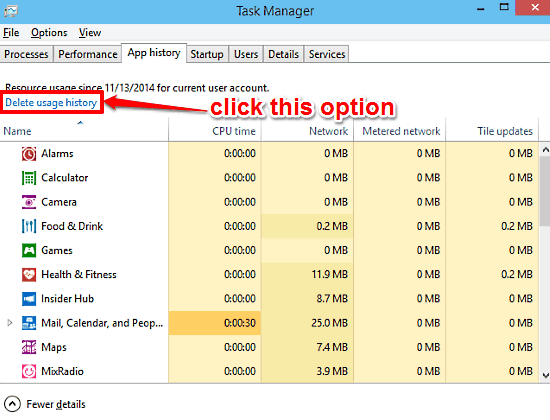
Delete Resource Usage History Of Modern Apps In Windows 10
This tutorial explains how to delete resource usage history of modern apps in Windows 10. You can purge resource history details in Windows Task Manager.
→
This tutorial explains how to delete resource usage history of modern apps in Windows 10. You can purge resource history details in Windows Task Manager.
→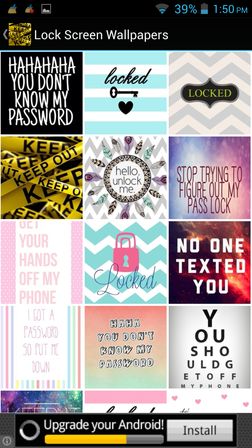
Here’s a list of 4 free lockscreen wallpaper apps for Android which you can use to find, download and set new lockscreen wallpapers on your Android device.
→
Zenlist is a free online to-do list maker that lets you set 3 goals for your day and try to achieve them. You can also mark goals as completed when done.
→
bop.fm is a free iPhone app to stream songs from YouTube and SoundCloud. Stream any song available on any of the two, make playlist, follow other’s playlist
→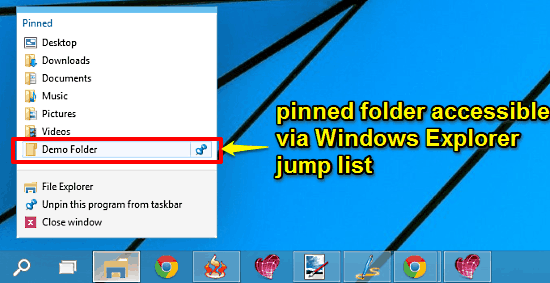
This tutorial describes how to quickly access any folder from Windows Explorer Jump List in Windows 10. This can be achieved by pinning the folder to Home.
→
Lazy Locker is a free software to automatically lock your PC by just moving or hovering the mouse cursor to desktop screen corner.
→
Adaptxt Keyboard is a free iPad keyboard app with swipe to type feature, 90 languages, and 49 specialized dictionaries. Also save sentence as shortcut.
→
Tutorial to automatically backup Facebook photos to Dropbox. Whenever you upload a photo, or you are tagged in any photo, it will be saved to Dropbox.
→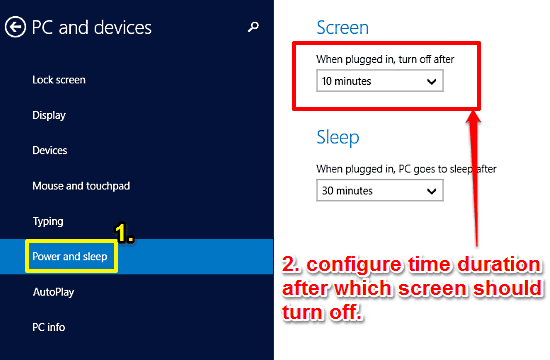
This tutorial details how to change idle time after which Screen turns off in Windows 10. You can specify the time for automatically turning off display.
→
Markticle is a free website to mark reading progress on webpages so that you can come back and continue from where you left off. Find out more!
→
Here’s a list of 5 free click counter apps for Android which you can use to keep track of laps when running on the track, number of time you won, etc.
→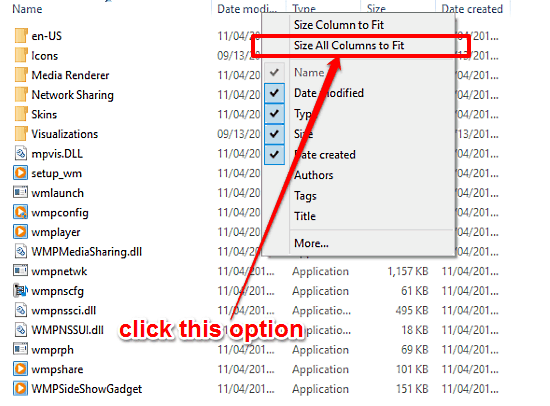
This tutorial details how to size all columns in Details view of Windows Explorer to fit content in Windows 10. This way, info in all columns is visible.
→This tutorial explains how to backup Winamp data. Follow it to backup Winamp settings, songs, playlists, skins, plugin settings, visualization presets, etc.
→
Tweetype is a free online game to improve typing speed by typing the tweets of your Twitter timeline. Type as many tweets as you can in 2 minutes.
→