How To Group Live Tiles In Windows 10?
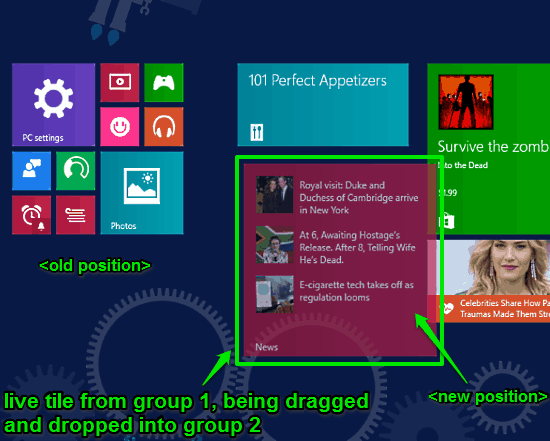
This tutorial explains how to organize Live Tiles in groups in Windows 10. You can drag and drop Live Tiles pinned to Start Screen to group them together.
→
This tutorial explains how to organize Live Tiles in groups in Windows 10. You can drag and drop Live Tiles pinned to Start Screen to group them together.
→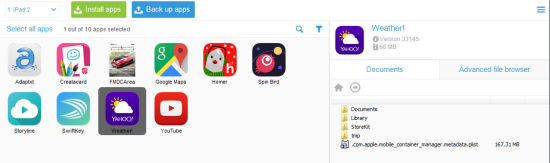
CopyTrans Apps is a freeware for Windwos to backup your iPhone apps with ease. Restore them with their original settings and preferences.
→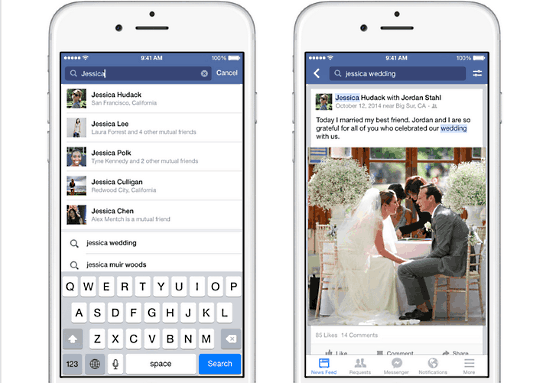
Facebook has just issued a huge update to its search functionality. The newest Facebook search update brings the power of its Graph Search (beta) to mobile.
→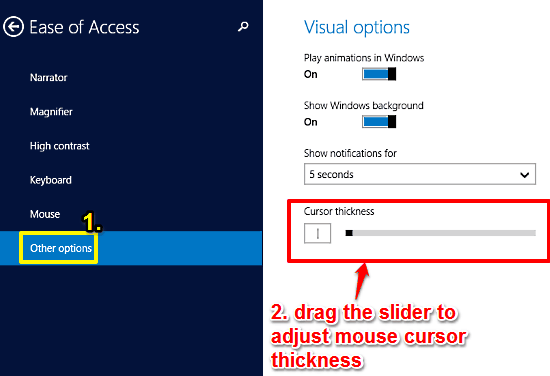
This tutorial details how to increase mouse cursor thickness in Windows 10. You can easily tweak the thickness of the mouse cursor to make it more visible.
→
PicLab is a free iPad photo editor app with stickers, overlay, filters, fonts and other common photo editing features. Use new photos or add existing ones.
→
Thrively is a free online resource website to find educational activities, videos, online apps, careers etc.. for kids as per strength and interest.
→
Highlightor is a free text highlighter add-on for Firefox. You can mark and save any text content or hyperlink of a webpage to use it later.
→
MusiXmatch for Android is a lyrics viewer and music player app which allows you to search for and view lyrics online on your Android device.
→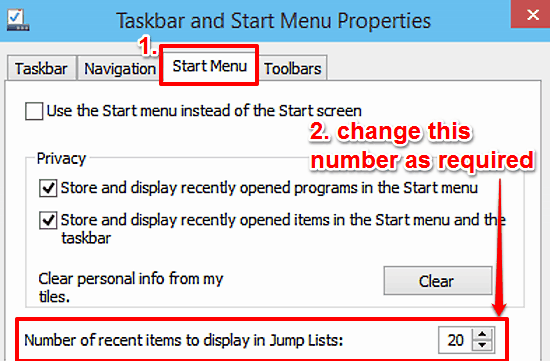
This tutorial details how to change the number of recent items displayed in Jump Lists in Windows 10. This way, you can quickly access even more documents.
→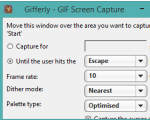
Gifferly is a freeware to record desktop screen in gif format. You can also capture mouse, add click effects, set frame rate, dither mode, and palette type.
→
Particular is a free iPhone photo effect app to add particle effects to photos. Choose from effects like snow, fire, stars, etc.. Save as GIF, video, image.
→
EasyGIF is a free online GIF maker which comes with a live preview. Just upload your images to convert them to gif online.
→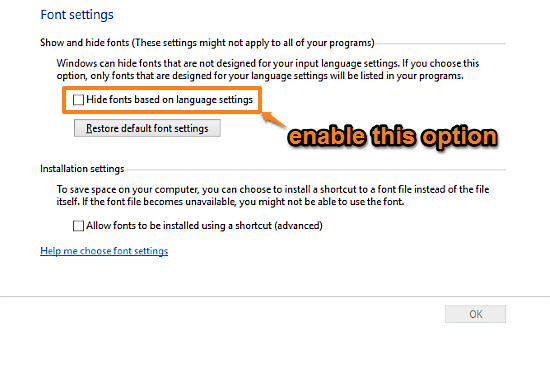
This tutorial details how to hide fonts incompatible with system Input Language in Windows 10. When hidden, incompatible fonts no longer show in programs.
→
z0r.capture is a free desktop screen recorder software. You can set frames per second, kbps speed for desktop recording, and save recording in mp4 format.
→