Subtitle Editor To Insert Text Information to Bulk SRT Files
PSA Insert Text To SRT is a subtitle editor to insert text information to bulk SRT files. Lets you compare time table to prevent text overlapping in files.
→
PSA Insert Text To SRT is a subtitle editor to insert text information to bulk SRT files. Lets you compare time table to prevent text overlapping in files.
→
This tutorial explains how to automatically save your Gmail emails and attachments to Google Drive. It can be done by Google Sheets add-on. Read more here.
→
CreaWriter is a full-screen distraction free text editor with a minimal interface. You can also set background transparency, image, and music.
→
Here are 5 font detector Chrome extensions to check fonts used on webpages. These plugins also help to find font size, line spacing, color, etc.
→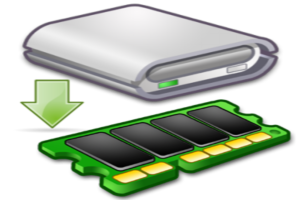
Miray RAM Drive is a free RAM disk creator software. It lets you specify the RAM to be used as a virtual disk, which can be then accessed as any disk drive.
→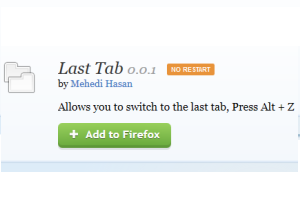
Last Tab is a free Firefox add-on to switch to the last active tab using the hotkey. No need to search and use mouse cursor to switch to that particular tab
→
Slides is a free online presentation maker service. It lets you make presentations directly in the browser. You can add code snippets, speaker notes & more.
→
Tutanota is a free secure email service with end to end encryption. Messages sent to regular email accounts can be encrypted by sender specified password.
→
Here are 4 free software to download Instagram videos. Most of these software let you download public videos as well as photos of any Instagram user.
→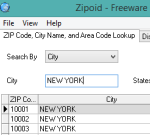
Here are 2 free US ZIP code finder software. These software also have unique features: find area code, latitude n longitude, distance between two ZIP codes.
→
Kaizena Mini is a free plugin to add audio comments in Google Docs documents. You can also add tags with your audio comments.
→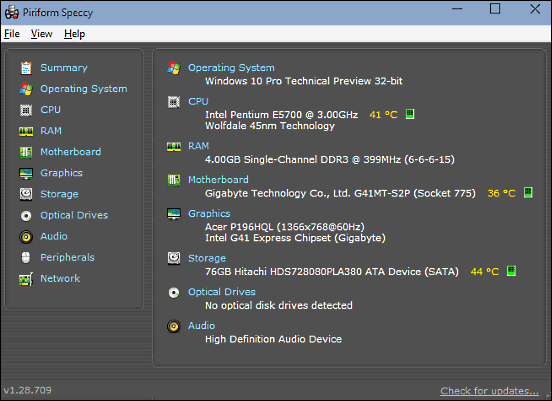
This article discusses 4 best system information software for Windows 10. These software utilities provide detailed info about your PC & its peripherals.
→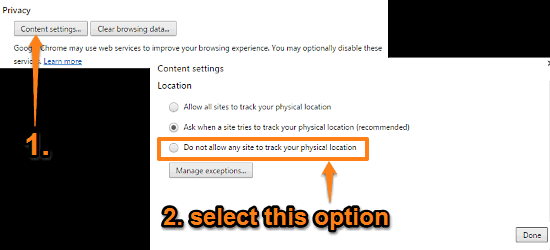
This tutorial details how to prevent websites from accessing your location in Google Chrome. You can disable location access for websites for more privacy.
→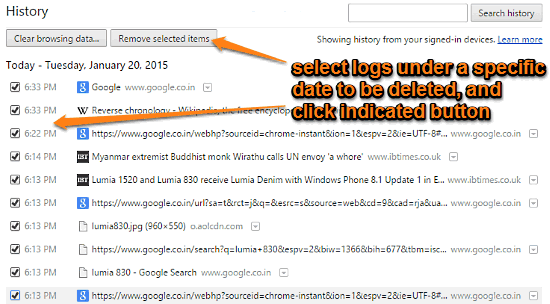
This tutorial explains how to delete browsing history of specific dates in Google Chrome. You can select logs filed under specific dates and delete them.
→