
Free iPhone App to Collaboratively Control Music in Party
Tracktl is a free iPhone app to collaborative control music in party. Make playlist, share with others, anyone can add songs, vote for songs, etc..
→
Tracktl is a free iPhone app to collaborative control music in party. Make playlist, share with others, anyone can add songs, vote for songs, etc..
→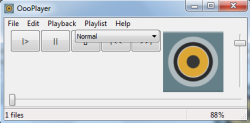
OooPlayer is a free music player to play mp3, alac, mp3, ac3, ogg, spx, flac, wv, tta, files. Also auto restore last playing session with all audio files.
→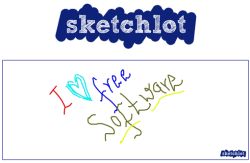
Sketchlot is a free website that provides online whiteboard to create drawings and share with others. Also helps to send messages to each other.
→
This tutorial explains how to grant various file access permissions to a specific user or group of users in Windows 8.
→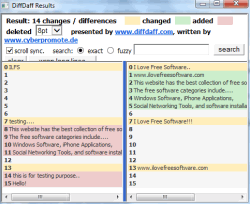
DiffDaff is used to compare text files, folders, and webpages. It highlights differences and also shows added and deleted content in different color.
→Puggle is a powerful and intuitive free desktop search software. Written in Java, Puggle lets you index files and search them via a centralized interface.
→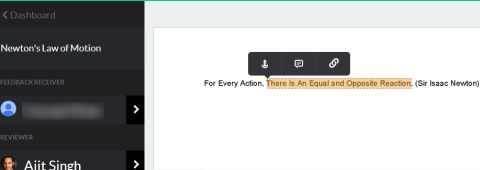
Kaizena is a free website to add voice comments to documents and share with others. Also add text based comments and hyperlinks to documents.
→
This tutorial explains how to connect to virtual private network connection in Windows 8.
→
Sad Tweets is a free website to check your tweets that have neither re-tweeted nor favorited by anyone. Plays a slideshow to view sad tweets.
→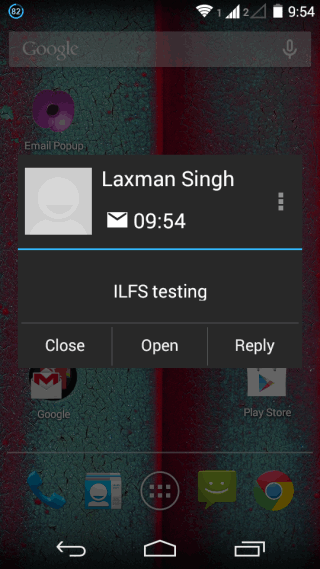
Poppy is a free Android app to get pop-up mail notifications. You can reply to email or delete from within notification. Supports multiple email accounts.
→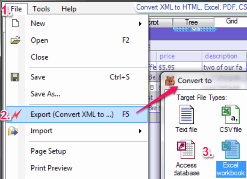
Here is the list of 4 free XML to excel converter software for Windows. These let you convert XML to XLS and XLSX for free.
→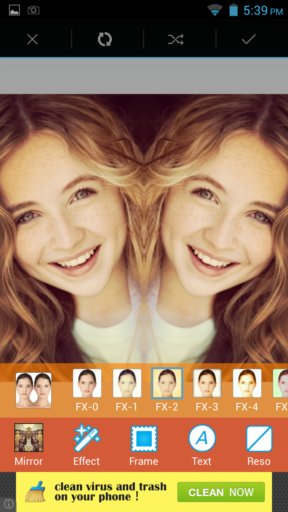
Here’s a list of 5 photo mirror effect apps for Android which you can use to create a mirroring effect on photos using your Android powered devices.
→Acrylic Wi-Fi is a free Wi-Fi network analysis software. It contains a variety of tools to scan and monitor networks, save information to logs, and more.
→
Thsi tutorial explains how to take ownership of any file, folder, and drive in Windows 8. We will do this by using “Takeown” command in command prompt.
→