Anvi Rescue Disk is a free bootable rescue CD which can be burned to a optical disc or you can create a bootable USB flash drive. With the help of Anvi Rescue Disk you can scan your computer for malware and remove rogueware infections. Fake antivirus infections are not an easy thing to get rid of, this free bootable fake ativirus removal utility can help you out do just that.
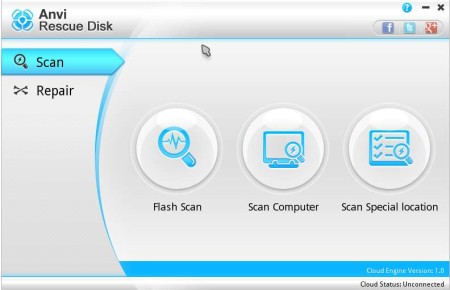
Before you can reach the main window of Anvi Rescue Disk which can be seen above, you will first have to set which language you want to use. This is a bootable rescue CD which is based on Linux, and in order to make things easier on you, next to the Rescue Disk .ISO image, you also get bootable USB flash drive creator which is a Windows application. Even though the main focus of this free malware scanner is to help people remove fake antivirus infections, it will also help out with system optimization.
Key features of Anvi Rescue Disk are:
- Free bootable rescue disk – malware removal and system optimization
- Main focus is on rougueware, ransomware and fake antivirus infections
- Scans computer for registry errors caused by virus infections
- Checks system settings and sets proper security configuration in place
- Can be burnt to a CD/DVD or you can create a bootable USB flash drive
- Fixes Windows operating systems – all versions are supported
Fake antivirus infections are dangerous not only in the sense that once infected your computer is then pretty much in the hands of people behind the virus, but you’re also gonna be asked for money, so financial loss is also possible. They completely neutralize genuine antivirus software that you have installed on the system, meaning that it’d be impossible for you to scan with anything other than the rouge antivirus. Here’s a few pointers to help you get started.
Similar software: Panda Cloud Antivirus, Immunet, Commodo Cloud Scanner
How to remove fake antivirus infections and optimize Windows with Anvi Rescue Disk
Use the bootable USB flash drive creator that you get and create a bootable flash drive. Or you can actually burn a CD. If you don’t have .ISO burning software, try to find one, like for example ImgBurn. When the CD or USB drive are created, restart your computer and set it so that it boots from either CD or USB.
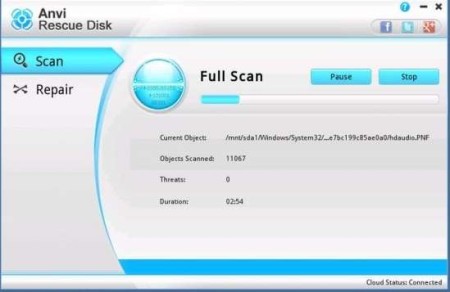
In the left two tabs are available, the Scan where you can scan for infections and Repair for system repair. On the image above we’re scanning the computer. Infections which are found can be deleted or you can set to trust them.
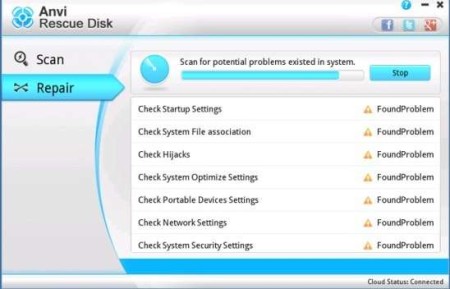
When virus scan finishes, move over to the Repair tab and check your computer for any damage that might have been made to filesystem, settings or registry. Errors will be fixed. When you are done, reboot and boot your Windows installation, which should now be virus free and super fast.
Conclusion
Anvi Rescue Disk is very fast when scanning, it has good detection rate and best of all, it’s a standalone bootable image, which has to work, it will not be affected by your existing infection. Give it a try and see how it goes. Free download.
