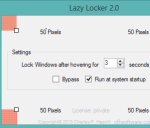
Auto Lock your PC By Moving The Mouse to Screen Corners
Lazy Locker is a free software to automatically lock your PC by just moving or hovering the mouse cursor to desktop screen corner.
→
Lazy Locker is a free software to automatically lock your PC by just moving or hovering the mouse cursor to desktop screen corner.
→
Adaptxt Keyboard is a free iPad keyboard app with swipe to type feature, 90 languages, and 49 specialized dictionaries. Also save sentence as shortcut.
→
Tutorial to automatically backup Facebook photos to Dropbox. Whenever you upload a photo, or you are tagged in any photo, it will be saved to Dropbox.
→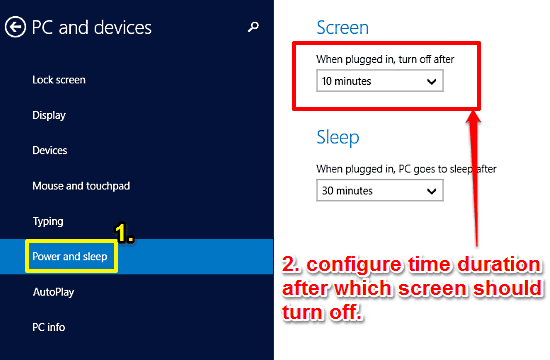
This tutorial details how to change idle time after which Screen turns off in Windows 10. You can specify the time for automatically turning off display.
→
Markticle is a free website to mark reading progress on webpages so that you can come back and continue from where you left off. Find out more!
→
Here’s a list of 5 free click counter apps for Android which you can use to keep track of laps when running on the track, number of time you won, etc.
→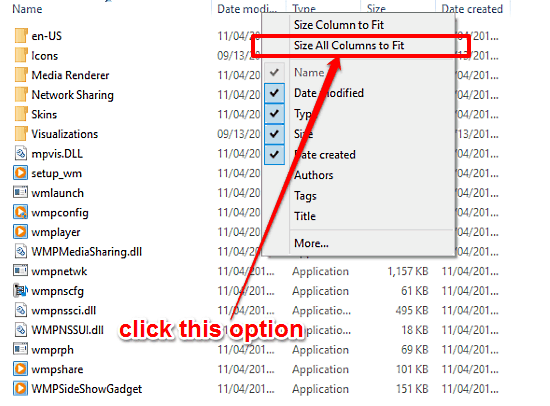
This tutorial details how to size all columns in Details view of Windows Explorer to fit content in Windows 10. This way, info in all columns is visible.
→This tutorial explains how to backup Winamp data. Follow it to backup Winamp settings, songs, playlists, skins, plugin settings, visualization presets, etc.
→
Tweetype is a free online game to improve typing speed by typing the tweets of your Twitter timeline. Type as many tweets as you can in 2 minutes.
→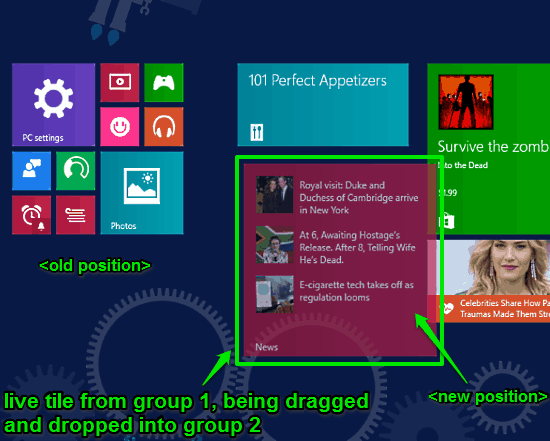
This tutorial explains how to organize Live Tiles in groups in Windows 10. You can drag and drop Live Tiles pinned to Start Screen to group them together.
→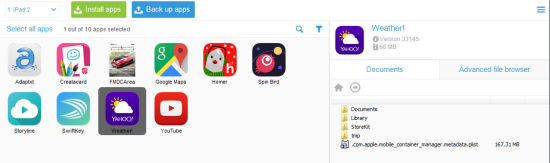
CopyTrans Apps is a freeware for Windwos to backup your iPhone apps with ease. Restore them with their original settings and preferences.
→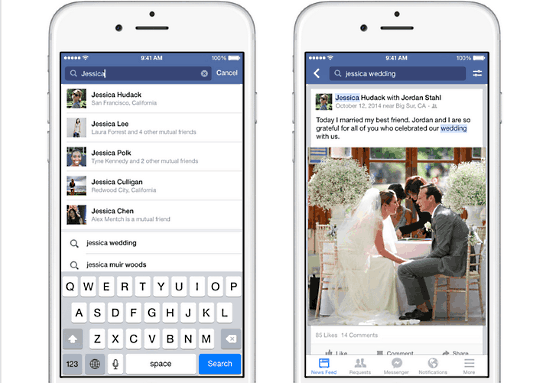
Facebook has just issued a huge update to its search functionality. The newest Facebook search update brings the power of its Graph Search (beta) to mobile.
→