OpenOffice is popular, free Microsoft Office alternative developed by the Apache software foundation. It’s a complete Office productivity suite that does everything you want your Office software to do. OpenOffice offers a collection of powerful Office tools like word processor, spreadsheet application, presentation software, database tool, and more! OpenOffice is a result of over 20 years’ software engineering and the great part is that it’s absolutely free.
OpenOffice is a robust and full featured software. Apart from creating new documents, it allows you to open or modify existing Office documents. You can also save new documents in Microsoft Office compatible format. Thus, portability of documents is not an issue at all. This makes Apache OpenOffice an amazing Office productivity suite, and a worthy replacement for Microsoft Office.
Download and Installation:
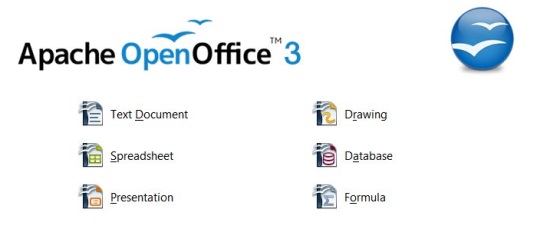
Apache OpenOffice can be downloaded from its official website using the link given at the end of this article. It is compatible with all latest versions of Windows and can be installed easily. After installation, you can run individual applications like you do with Microsoft Office. OpenOffice includes Writer, Calc, Impress, Draw, Math, and Base. Writer is similar to Microsoft Word, Calc to Excel, Impres to PowerPoint, and Base to Access. Hence Apache OpenOffice is an efficient Microsoft Office replacement.
Let’s have a look on various modules of OpenOffice productivity suite.
A Quick Look on Apache OpenOffice Tools:
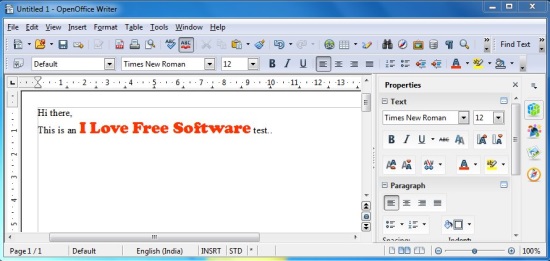
Writer: Writer is a simple and handy word processor that comes with powerful word processing capabilities including text formatting, alignment, indentation, autocorrect, autoformat, autocomplete, linking, adding styles, tables, objects, and lot more. Writer supports all major word processing formats and easily opens the files of Microsoft Office for editing.
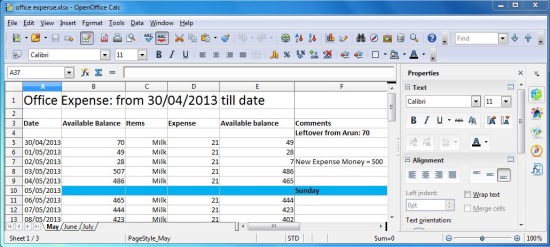
Calc: Calc is Microsoft Excel equivalent of Open Office. It’s a powerful spreadsheet tool that lets you easily save data in form of tables and analyze useful information. Plus it offers a comprehensive range of advanced features, including a powerful Function Wizard, What-If calculation, Database functions, data arrangement, and dynamic charts. Calc supports opening and editing Microsoft Excel documents as well.
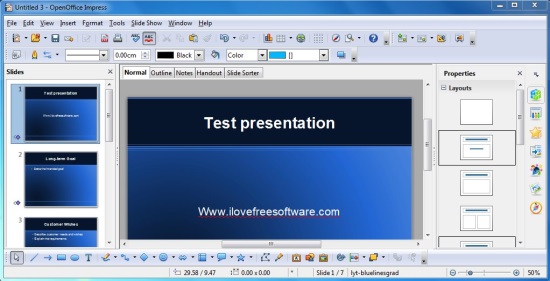
Impress: Impress is a brilliant tool for creating multimedia presentations and a nice replacement for Microsoft Powerpoint. It offers beautiful templates, 3D and 2D clip art, animations, transitions, fontworks, and other special effects. Other than that, it provides many useful drawing tools and lets you share your work in form of PDF, Flash, or HTML documents.
Draw: Draw is an OpenOffice drawing tool that provides tools to sketch anything in form of graphics. Here, you can conveniently build ideas in form of flowcharts, network diagrams, etc., and further analyze them by manipulating objects in two or three dimensions. Draw gives you proper control on objects, for a neat and precise drawing.
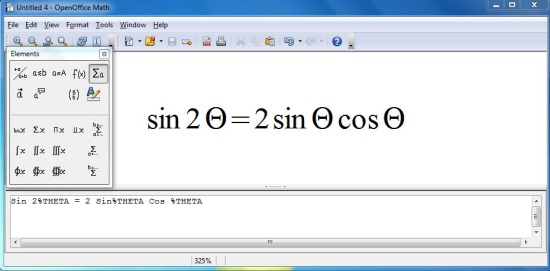
Math: Math is an OpenOffice Maths application that offers tools to solve complex mathematical problems within a graphical user interface. It comes with a powerful equation editor, which lets you directly type-in mathematical formulas and create or edit mathematical equations.
Base: This is an equivalent of Microsoft Access. It provides tools to create databases, and record and analyze information using tables, queries, forms, and reports. You can choose to create your own database or use Base’s built-in HSQL database engine. Plus, you can opt for the Wizard, Design, or SQL view according to your convenience.
Key Features of Apache OpenOffice:
- Free Office productivity suite for Windows.
- Consists of a nice set of office tools, including word processor, spreadsheet, presentation, and database application.
- Powerful drawing tool with pointers, arrows, and other connectors.
- Math tool with advanced equation editor.
- Nice free replacement for Microsoft Word, Excel, PowerPoint, and Access applications.
- Open source.
The Final Verdict:
OpenOffice is a brilliant Office tool and probably the best free alternative to the leading Microsoft Office for Windows platform. Most of its applications work similar to Microsoft Office modules and if you are familiar with Word, Excel, PowerPoint, etc., you won’t find using OpenOffice difficult. So go ahead and give it a try.
