Install Monitor is a free software to monitor changes that any program makes at the time of installation. It monitors all the registry entries done by a program, files modified, and other programs (like toolbars) installed. After that, it also helps you in uninstalling the programs completely.
Whenever you install any program, it makes changes at a lot of places, like, registry entries, files in program files, and more. However, at the time of uninstallation, it might not undo all those changes. This results in unwanted files and registry entries getting accumulated in the system over time. As a result, performance of your system degrades.
This is where this freeware to uninstall programs comes into picture. Whenever you install any program, Install Monitor tracks what changes that program made, and stores that. Later when you decide to uninstall that program via Install Monitor, it gets rid of all those changes, ensuring that your system remains fast, and free of unwanted files and registry entries. So, Install Monitor acts as an efficient uninstallation software as well.
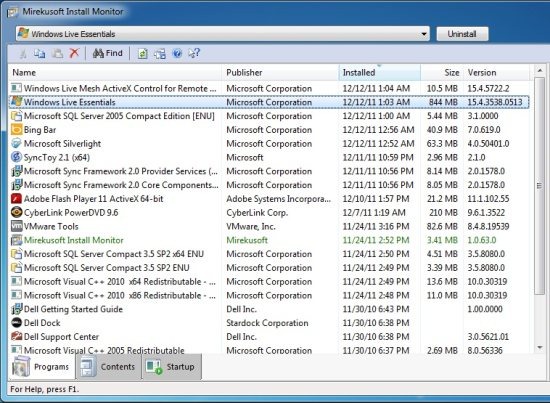
How to Monitor Changes Made by Program Installation:
It is quite easy to use Install Monitor to monitor any changes made by new installation. First of all, go ahead and download Install Monitor from here. Then follow the instructions to install the software. That’s it – Install Monitor will start recording the changes that new installations make. At any time, you can open Install Monitor to see all the installed programs. Just click on any program to get more details about it, like, how big is the program, changes made by the program, etc.
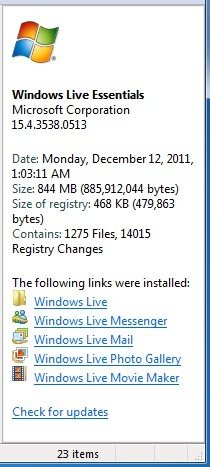
As I mentioned earlier, Install Monitor is as a uninstallation software as well. To uninstall any program, just click on that program name in Install Monitor, and click on the button “Uninstall” that is present at the top of Install Monitor.
Install Monitor will take care of uninstalling that software, along with all the related changes that program made. So, you get a clean uninstall.
Overall, Install Monitor is quite easy to use, and very useful. There have been more and more cases lately of bundling of unwanted software with innocent looking software. Install Monitor is a good made to become aware about that, and get rid of unwanted software.
If you are getting a new system, this is one of the first programs you should install. And if you already have a PC, it is still not too late; go ahead and install this software to monitor changes made by installation of new programs, and become aware whenever a rogue program tries to take place on your computer.
