Microsoft Security Essentials is free antivirus suite from Microsoft. It provides protection against viruses, spyware, rootkits, and trojans. Microsoft Security Essentials is very easy well designed, and anyone can easily use it. It comes with real time protection, and free automatic updates.
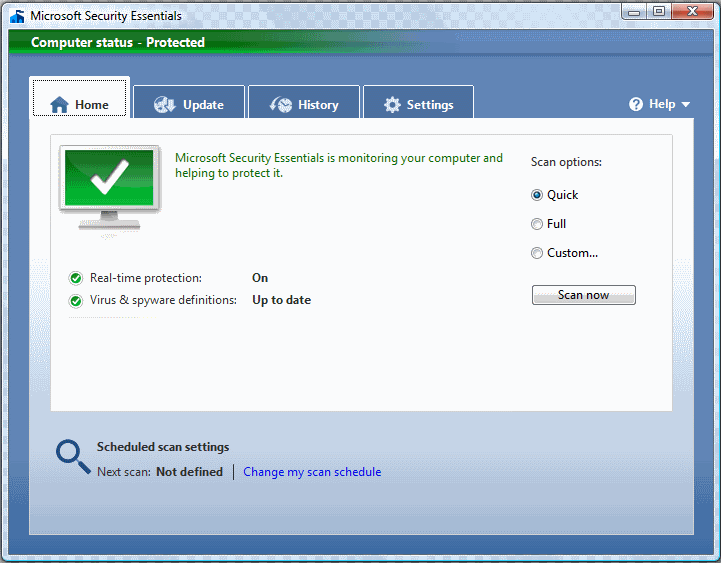
The first thing that stuck me about Microsoft Security Essentials was that how well designed it is. Microsoft has launched this product for home users, and has designed it keeping them in mind. Once you install Microsoft Security Essentials, you will appreciate how easy it is to use and understand. Microsoft finally seems to be getting its act straight.
Microsoft Security Essentials, it will keep itself updated of the latest virus and malware by automatic updates. No need for you to do anything about that. Another thing I liked about this free antivirus suite is that it offers real time protection. It keeps running in the background, and alerts you as soon as it detects something.

Here are some of the features of Microsoft Security Essentials:
- Provides good protection against Viruses, Spyware, and Trojans.
- Offers Rootikit protection as well.
- Very low on system resources.
- Automatic updates.
- Real Time Protection.
- Completely free Antivirus Suite
- Works with Windows XP, Vista, and Windows 7.
Microsoft Security Essentials is indeed quite a good free antivirus. I would give it a few months to mature, before starting to use it. Meanwhile, I would stick with some of the other good free antivirus contenders out there, like Avira Free Antivirus and AVG Free Antivirus, and combine them with ThreatFire Free Antivirus to detect malicious behavior of yet to be discovered viruses.