CalcTape is a free calculator which is available for the Windows operating system, but also for iPhone and Android smartphones. Main difference between CalcTape and the default Windows calculator would be that CalcTape shows you intermediary results, it doesn’t hide how it got to the solution. This makes CalcTape the perfect choice for all those who have kids, they can learn how to do the basic calculations with it.
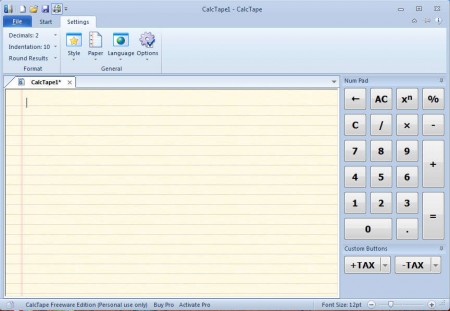
As you can see from the image above, interface of CalcTape is very similar to that of Office 2007, and it integrates into Window 7 theme very nicely. Your friends will probably think that CalcTape is some kind of advanced calculator from Microsoft. Very useful feature that CalcTape has would be the fact that it has tabs, so users can manage several calculations at once, each one having its own tab. Calculations can even be saved and continued later, which is great for all those who are working on long equations. Some of the more interesting features that CalcTape has would be:
- Adding machine type of overview over calculation terms
- Intermediate results for checking the results
- Add commentary to the calculations
- Save calculations in files and continue them later on
- Use files as templates, just edit values of the calculations
- Define custom calculator buttons
Using CalcTape isn’t very difficult, there are two main modes of work, the Calculator where you’re gonna see the special formatting that CalcTape offers, and the Text Editor where you’ll be able to write text commentary about what exactly it is that you’re doing.
Similar software: Peulot Heshbon, SpeQ Mathematics , 5 Free Calculator Extensions for Chrome.
How to make calculations with CalcTape
The first thing that you should do when starting to use CalcTape is to make sure that you are using the Calculator mode. Otherwise when you type in something like this:
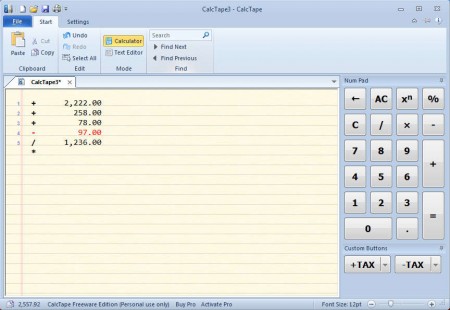
You will not see the kind of formatting that can be seen on the image above. This is what we meant when we said that with CalcTape you get the adding machine type of overview over calculations. Kids who are just learning to add and subtract can really benefit a lot from this type of calculation presentation.
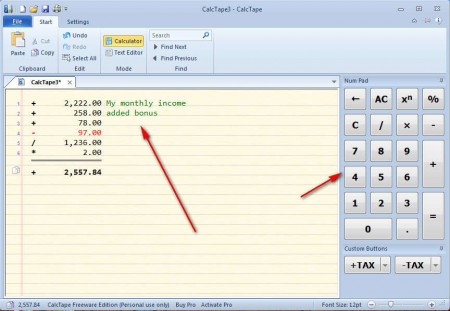
Commentary that you write in the Calculator mode is gonna be green. If you turned on the Text Editor, all the syntaxing is gonna become unavailable. With search function you can find a certain part of the calculation that you’re working on, if it’s longer.
Conclusion
Even though you can’t perform advanced calculations with CalcTape, it’s still an interesting way of how you can conduct basic calculations, especially for children. Next to the free version there’s also a paid one which allows you to use variables similar to what programmers are using when programming. Show CalcTape to your children, they are surely gonna be interested in it. CalcTape can be installed very quickly, for simple calculations it’s more than enough, and its unique way of presenting calculation is gonna make your calculation very interesting. Download the free version of CalcTape and see how exactly it can help you out, or your children.
