CPU-Z is a free software that provides information on your system hardware, including CPU, Caches, Mainboard, Memory, SPD, and Graphics. It’s a handy and reliable tool to monitor CPU components and get real time information on clock, core voltage, and DRAM frequency. The whole information can be saved as TXT or HTML report.
CPU-Z can deeply scans the internal parts of your CPU and retrieve useful information. This not only saves the time which you would have wasted in opening the case, but also helps in troubleshooting.
The software provides support for all latest devices in market and can detect features of almost all latest CPU configurations. Other than that, it has a unique ability of directly finding the SPD data from memory modules. You can download CPU-Z free of cost using the link given at the end of this article. Installation is pretty easy and will take less than few minutes. After a successful installation, you can launch this free hardware monitoring software to get system information in a reader-friendly format.
Also check out some other free hardware monitoring software reviewed by us: System monitoring peccy, VeeSee Hardware Information, and Open Hardware Monitor.
Using CPU-Z:
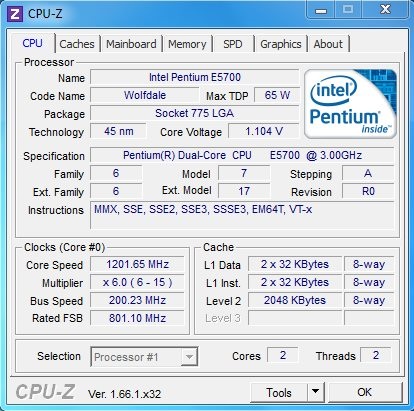
CPU-Z is a very easy to use. All you have to do is launch the software and start reading the information. The information is neatly presented in a tabular form. The interface is divided into 6 main tabs: CPU, Caches, Mainboard, Memory, SPD, and Graphics.
The CPU tab displays information on each individual processor attached to your system and information on its cores, clocks, and threads.
The Caches tab retrieves and displays information on system caches (L1 D-Cache, L1 I-Cache, L2 Cache, and L3 Cache).
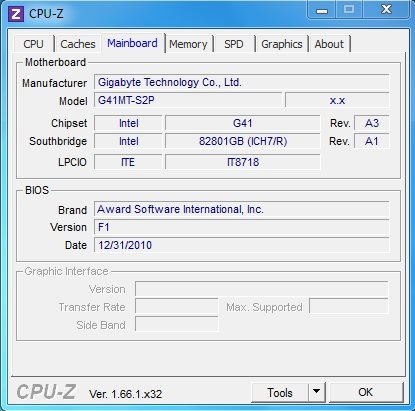
The Mainboard tab displays motherboard information, including manufacturer, model, chipset, BIOS information, etc.
The Memory tab tells what type of memory is used by your system, its size, real-time DRAM frequency, latency, delay, cycle, time, command rate, etc.
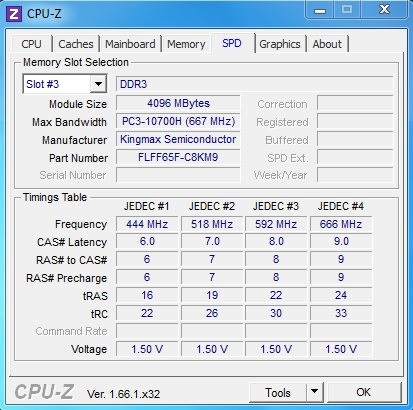
The SPD tab scans the RAM present inside your CPU and retrieve information on module size, bandwidth, manufactures, frequency, voltage, etc. You can specify a particular memory slot and get information on the desired RAM.
The Graphics tab reads the graphics card information present on your system and displays it name, revision, size, technology, etc.
Key Features of this Free Hardware Monitoring Software:
- Free software to get information on various CPU components.
- Displays real-time information on CPU clock, core voltage, and DRAM frequency.
- Easy to read format.
- Option to export information to TXT or HTML format.
- Quick and reliable.
- Supports latest CPU configurations.
The Final Verdict:
CPU-Z is a nice free hardware monitoring tool that keeps us informed by the features of all major CPU components. It does its job quickly and doesn’t hangs in between. However the information provided by this tool is of more relevance to technical users. Get it free and give it a try.
Also check out some other free system utility software we have reviewed: Disk Space Monitor and RamRush.
