Loki Network Project is a free set of software to hide IP address while browsing internet. Loki VPN not only just acts like a free anonymizer. Instead, it also secures all the data that flows out of your computer to protect your privacy. The main motive of the program is protect your sensitive data like IP address, email/FTP/HTTP passwords, web site visited, downloaded and uploaded files and etc. and bypass any limitation in internet connection you may have at your location. There are threats in your LAN networks, basically known as network sniffers that may intercept your data. This program will save and protect your data from such loss and hence you communicate your data with ease and safety.
Some other free anonymizing software that we reviewed earlier include: XeroBank Free, JonDonyn Anonymous, JAP, and FamilyShield.
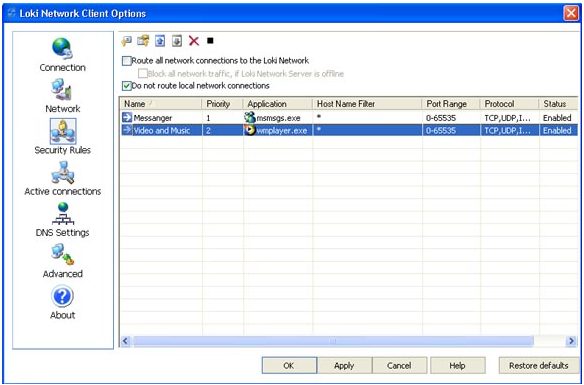
Project Loki consists of Loki VPN client, and Loki VPN servers. You just need to install Loki VPN client on your machine to make use of this free secure browsing service. After that, you can choose which programs should be secured by Loki VPN. You can choose to secure your browser, but ignore messengers, or anything else. Loki VPN lets you easily configure which programs you want to choose.
After that, whenever you use a program that is secured by Loki VPN, it will first encrypt your data, and will then transfer to Loki VPN servers via SSL connection between your computer and Loki Servers (this SSL is automatically established by Loki VPN client). Then Loki VPN servers will redirect the traffic to its final intended location, after stripping out your personal information. In this way, the websites do not get to see your IP, and your traffic is completely secured.
How does Loki Protects your private sensitive data?
You have two option that program offers to ensure that your data is protected:
- You can choose Public VPN service that includes set of Loki VPN servers located around globe. That way you can access to public servers for free as guest logon.
- However you can create your secure VPN network on your own version of VPN Server installed on your own home server. Community version of Loki VPN Server Desktop Edition is free for download and use.
Loki VPN works a lot like OpenDNS, with OpenDNS having some added advantages for home users, while Loki VPN looks more advantageous for creating secure VPN.
Some of the features of Loki VPN Client:
- It is easy to install. Just safely install Loki VPN network client on your PC and start using it
- Easy to use interface for simple handling and create you own security profile
- Analysis your network configuration to fix your local and external traffic problems
- It offers customization of security and network service, which ensures its quality service in the network arena
- The program is free to download
Generally speaking, Loki VPN client ensures that you can surf anonymously without disclosing your identity or identity of your network and PC. As by using Loki VPN client surfing is done through Loki VPN server and from its IP address. While connection between your PC and Loki server is protected by SSL connection whereby, your data safely reaches to Loki VPN service and than directed to internet ISP for further reception.
Loki VPN network help to protect your network traffic from inception. Thus when you login to Loki VPN client with your username and password it directs all your data packets to Loki VRP server by SSL encryption and acts like internet gateway. That way you can bypass any restriction in visiting any web sites or any other ISPs.
