SocialSafe is a Facebook account backup utility, which can backup photos, status updates and friends lists to your computer, locally. This is at least what the free version of this social network account backup utility does, there are two paid versions of Social Safe which are offering more backup options, sites like:
- Google+
- Viadeo
are also supported in the paid version, but with the free version of SocialSafe, we can just create Facebook backups, and not entirely at that, but if you are for example just looking for Facebook photo backup, you can do that with the help of SocialSafe.
Similar software: Backupify, SOS Social Backup.
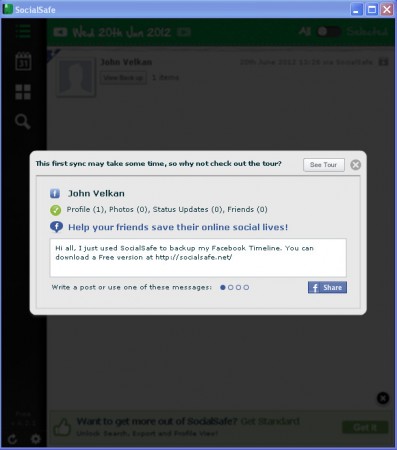
The way that SocialSafe handles backups is also very unique. Everything is arranged in journals, which get updated every time that you decide to create a backup of your Facebook account. To start using the SocialSafe, to start creating Facebook backups, you’re gonna have to login into your account, which makes sense, application needs to have access to your information. A login window will appear after you first start the application where you will be asked to enter your login information, after you do that and after you allow the application to access your Facebook info, the window that you see above will appear.
Create Facebook account backup with SocialSafe
As soon as you login with your account into SocialSafe, the application will scan everything that’s contained inside of your account, at least what the free version allows, and then it will create a backup for you on your computer:
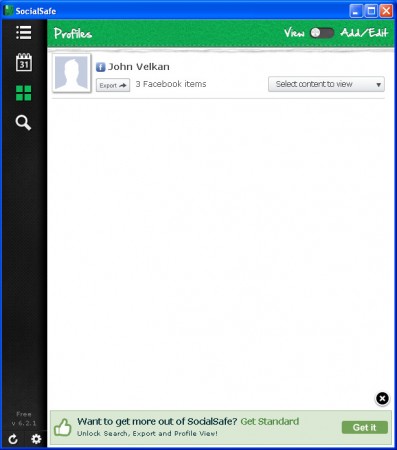
On the right side of the screen there is an option to select the content that you want to view. This is where you can Choose between different portions of the Facebook profile that SocialSafe can check for. The full list of options is this:
- Profile
- Wall Posts
- Status Updates
- Photo Albums
- New Friends
- Old Friends
- Friends
Not all of these are available in the free version of SocialSafe, in fact while we were using this Facebook backup utility we noticed that the free version doesn’t support viewing of the saved profile that you have backed up on your computer. To view you’re account on your computer, you’re gonna have to switch to one of the paid options.
Facebook backup, who needs it?
Even though you cannot browse the Facebook account that you have saved in SocialSafe, you can still save it and have it ready for later on when the time comes and you actually need a backup.
Imagine for example that there was a breach of your security and someone broke into your Facebook account or any of the other accounts that you can backup with SocialSafe. In times like these chances are good that you can lose images that you have saved inside your Facebook, if the person is malicious and decides to delete them. If this happens, with SocialSafe you have a backup ready, you just have to pay a very small yearly fee for data access, application is otherwise free. Make sure to have Adobe Air runtime install, since this is an Adobe Air app.
