Macro Toolworks is an amazing utility that allows you to create macros, for repetitive tasks that you’re performing on your Windows system. For those who do not know what macros are, it’s when you make a recording of a certain task and then later on just use the program in order to repeat that task when you need it again. A great thing for when you have to do the same mouse motion, keyboard action or anything else where repetition is present and required.
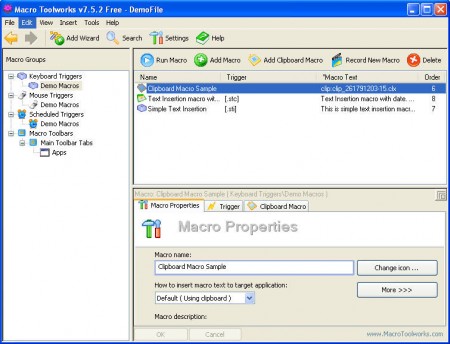
Macro commands are probably familiar to everyone who uses some sort of office suite, like Microsoft Office. What Macro Toolworks does is basically the same thing, only with it you expand the area where the commands can be recorded to the entire desktop, and not only desktop, but also in third party programs that you’re using. If you need macros in a program that doesn’t offer them, you can have them with Macro Toolworks.
How to record a macro with Macro Toolworks?
Recording a macro command with the help of Macro Toolworks is very easy, just click on the Record New Macro button which is located in the top right corner. Once you do that, you will get a window where you are given some basic advice on how to record a macro more successfully.
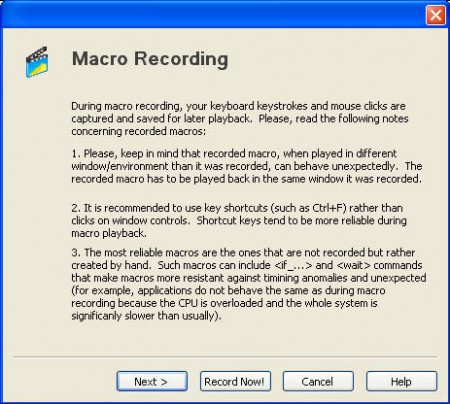
It’s best that you read this because it contains some important pointers about what’s good practice for recording a macro. During the time that we’ve been testing this program, there were situations when a command wasn’t exactly recorded as it should have been. For example it’s very problematic for the program to record when you open up the Start Menu and run a program from there, but it works rather well when a program is started from the desktop icon. The advice which you’re given boils down to that you should use the keyboard more, and that you try to keep the recording within one window if possible. Click on Record Now! and the program will minimize to tray, and every action you do until you click on Stop on the Macro Toolbox help window at right bottom of the screen will be recorded.
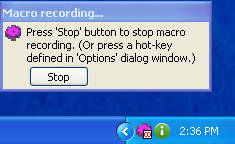
Stopping the macro recording will prompt the save window, click yes and then it will appear on the list of macro commands:
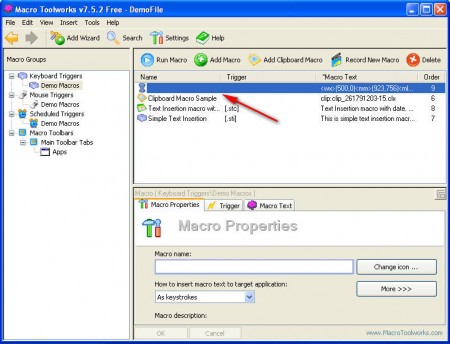
Name it somehow so that you know which action is hidden behind this particular macro, and if you want to start it, click on the Run Macro icon at the top of the list. If everything went in order the command will work just fine, if not, you’ll have to repeat the recording and try one of the things which were suggested before.
You can also check out Actions another free software to create macros.
Limitations of the free version and conclusion
We didn’t mention that there are also paid versions of Macro Toolworks, which of course have some cool features, for example:
- AES protection of the macro command, in case of sensitive data is being saved
- Macro export to HTML
- Macro command transportation via Free Macro Player
- Macro trigger, which will cause a certain macro to start after an event of some sort
and many many more. There’s too many options even in the free version of Macro Toolworks to mention them here, if you’re looking for a macro recording software then Macro Toolworks is the thing for you.
