Free Internet Window Washer is a cleaning utility that you can use in order to remove tracking data with which we are usually infested when browsing or using our instant messaging clients. You can also delete unnecessary system and application files which can occupy precious disk space.
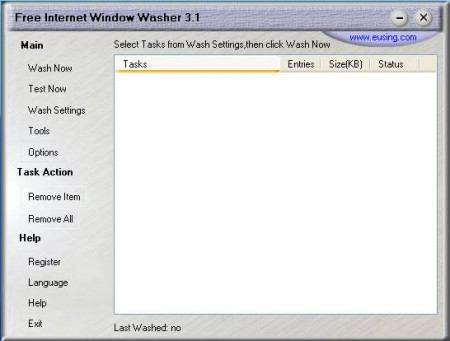
Cleaning the system from junk files is very easy with Free Internet Window Washer. Program has a very long name, but that’s OK because it also has a very long list of various places where it looks for clutter on Windows systems and removes it. Installation of the program went just fine, but after we started it for the first time a window popped up where we were asked to enter in registration info.
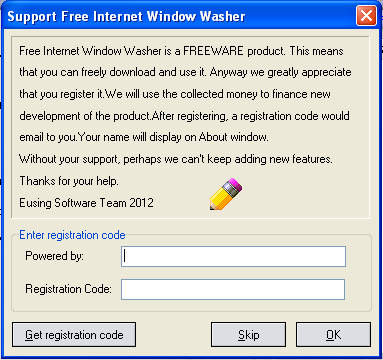
Don’t be startled by this, program is free, those who decide to register it will only be able to enjoy in the fact that they’ve helped out the Window Washer project, and allowed the developers to add new features, like the message says. If you’re not too keen on donating, you might be after you’ve tried the software and seen what it does, let’s show you some of the system cleanup options that you get with this handy little app.
What kind of files can Window Washer clean
Overview of files that will be deleted can be found by clicking on the Wash Settings button on the left side of the default window, look at the image above. This is where we have all the locations and all the applications who’s history, cache and other unnecessary files will be deleted.
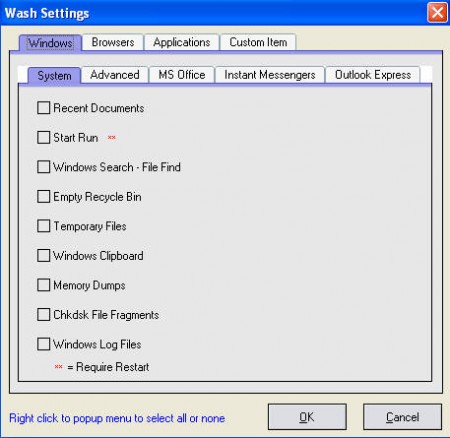
Four main tabs on the upper part of the screen would be the 4 main categories that will be scanned for junk files and of course deleted afterwards. We have the:
- Windows junk files cleaning
- Browser data cleaning
- Unnecessary files from various application and
- Custom Item, where you can add files to be cleaned, which means deleted
Each one of these categories has a long list of different options that you can pick for cleaning, as you can see on the image above where some of them from System are displayed. Window Washer can also delete browser history, cookies, cache and everything else, for all the major browsers:
- Internet Explorer
- Google Chrome
- Mozilla Firefox
- Netscape
Applications tab is where things get interesting, because it contains a very long list of applications which can be “washed” by the program. To list them all here would take a lot of time, so here’s a screenshot of how it looks:
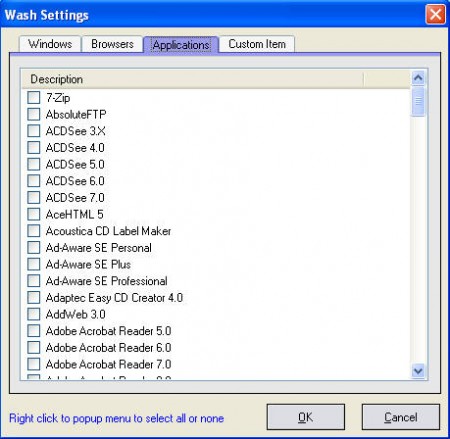
Notice that long scrollbar on the right side, there’s really a lot of different applications who’s files can be inspected by Window Washer for any signs of old, unused and unnecessary files.
Conclusion
This program is definitely something that should be used from time to time. Unlike other similar software, Window Washer has a lot more cleaning options and it will definitely free up more space, especially if you have a lot of program installed on your system.
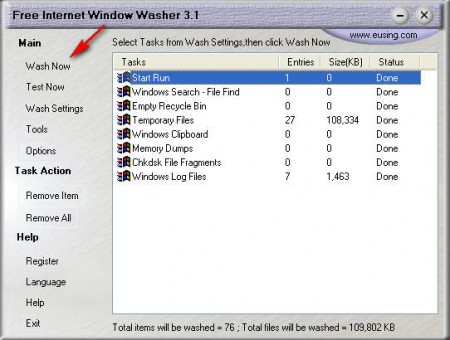
Once you have selected everything that you want to delete in Settings, click on Test now and once the problematic files are found, click on Wash Now, and that’s it, everything should be clean. Download Free Internet Window Washer.
