Windows clipboard is very basic in nature, and frankly, outdated. You can just store 1 item in clipboard at a time, and cannot access history of items that you had copied earlier. There are many free clipboard managers available that get over these drawbacks of Windows clipboard, and provide a much better clipboard than Windows clipboard. Here are 4 of the Free replacement for Windows clipboard.
1) MemoClip – Maintain your Clipboard History for many days
MemoClip is a free clipboard extender. You can save anything to Memoclip. Unlike other clipboard managers, MemoClip lets you save your clipboard history for multiple days. So, you can not limited to losing your clipboard when you shut down your computer. You can save any amount of data in MemoClip, as it comes with unlimited storage.
Read More Here. Download Here.
2) iClippy – Free Online Clipboard
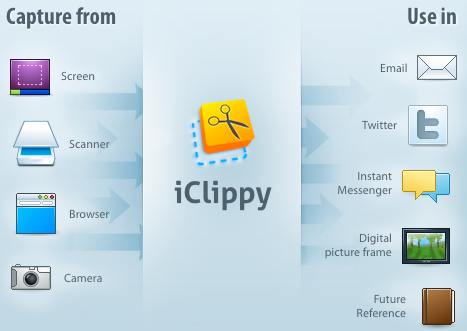
iClippy is a free online replacement for your Windows clipboard. It installs as a sidebar in your Windows, and keeps capturing all the items that you copy. It even lets you capture screenshots, and post images on Twitter. It also comes with a built-in OCR that can extract text from pictures.
Read More Here. Download Here.
3) Visual Clipboard – See Clipboard History and Add Notes
Visual Clipboard is a very easy to use software that shows you your clipboard history. You can invoke it anytime by just pressing a hotkey. Apart from that, you can also add permanent notes to it that you need to occasionally paste. This integrated feature makes it a good choice.
Read More Here. Download Here.
4) Ditto Clipboard Manager – Synchronize Clipboard across Multiple Computers
Ditto Clipboard Manager is a free extension to Windows clipboard. It lets you save multiple items on clipboard, and sync clipboard across multiple computers. Anything that you can copy can be added to this free clipboard manager.
Read More Here. Download Here.
All these software are completely free, and easy to use.
| Ditto Clipboard Manager is a free extension to Windows clipboard. It lets you save multiple items on clipboard, and sync clipboard across multiple computers. |