




Featured Articles Only Our Best Posts

5 Free Websites to Learn to Cook Chinese Cuisine
Here is a list of 5 free websites to learn to cook Chinese cuisine online. You can learn to cook some delicious dishes with the help of these websites.
→
5 Pacman Apps For Android
Here’s a list of 5 Pacman apps for Android which you can use to play the world famous Pacman on Android.
→
5 Websites To Watermark PDF Online For Free
Here is a list of 5 free websites to watermark PDF online. You can easily add watermark to your PDF files using these websites for free.
→Latest Posts In Windows 10 News & Trends
Recent Posts All Of The Latest Articles

Identify Objects using Phone Camera and Translate Them
Thing Translator is a free website to identify objects by taking their photo using phone camera. It also shows their translation in different languages.
→
Windows 10 Classic Arcade Game to Make Rows from Falling Blocks
Block Slider is a free Windows 10 classic arcade game app with the goal to make full rows from the falling blocks. Check it out.
→
Free Adventure Game For Windows 10: Wild West Escape
Wild West Escape is a free adventure game app for Windows 10 devices where you have to solve mysteries of the Wild West. Check it out!
→
Facebook Page Analyzer to Know Audience Of FB Page And Posts Data
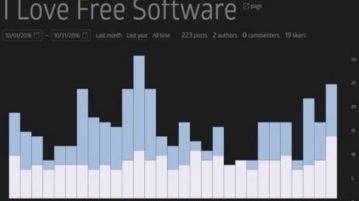
Free Facebook Page Analyzer tool that tells you your top audience, and number of shares by them.
→
How To Turn Off Pop-Up Notifications of Microsoft Edge
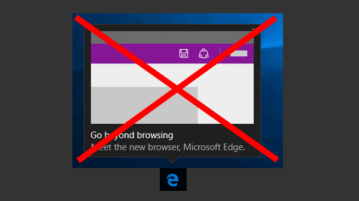
This tutorial explains how to turn off pop-up notifications of Microsoft Edge. Just 2 steps to follow to turn off notifications of EDGE as well as websites.
→
Compare Performance of Your Twitter Account with Competitors
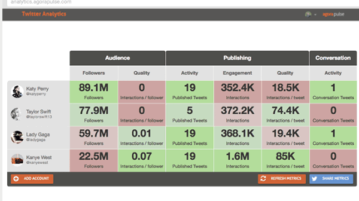
This tutorial explains how to compare performance of your Twitter account with competitors. You can compare followers, engagements, interactions, etc.
→
How to Open .hlp Help Files in Windows 10
This tutorial explains how to open .hlp Help files in Windows 10. This installs WinHlp32.exe utility in Windows to add hlp support to Windows 10.
→
Shutdown PC after Downloads complete in Chrome, Firefox, Opera, Edge
This tutorial explains how to shutdown PC after all downloads complete in Chrome, Firefox, Opera, and Edge. Can be used for Safari, UC Browser also.
→