TheBlu is a combination of an oceanic virtual tour, game, social interaction utility and on top of all that you also get a screensaver which you can use in order to embellish your desktop screen once that you stop using the computer. TheBlu is the perfect name for this multi-purpose tool, because it allows you to experience the mystical depths of the ocean from the comforts of your chair, on your computer screen.
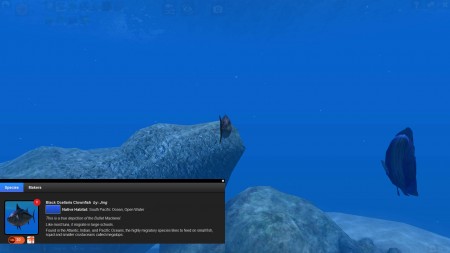
As you can see from the in game screenshot above, once that you install TheBlu and run it for the first time you’ll find yourself in the amazingly realistic virtual tour of the ocean. Creators of this ocean tour software are a group of environmental activists who are trying to turn the world’s attention to the fact that we are very close to losing the oceans the way that we know them.
Free ocean tour with the help of TheBlu
Majority of us would like to have a tour of the ocean but unfortunately not all of us are lucky enough to be able to actually visit the ocean and dive the deep blue. All those who fall in the category of those who are interested but are unable to visit the great oceanic depths should install TheBlu, and dive through the ocean with the help of your computer. Image that you can see above is the default screen that waits for your after opening up TheBlu. Overall underwater experience is complete, you can see all the beauty that corals have to offer, there are even fishes, and once that you click on a particular fish, you’ll get extended info about it.
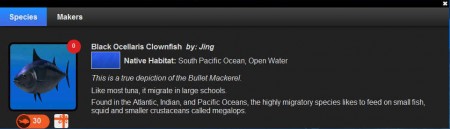
With this you not only are able to browse through the various animal life that oceans contain, but you can also learn and educated yourself about various lifeforms that exist down there.
You can also check out free rocket simulator to design rockets.
Connect with other people in TheBlu
As you browse through the virtual ocean, other people can join you, you can login into TheBlu universe as guest, or you can register and create an account with which you’ll be recognized by other members. Each one of the fishes in TheBlu realm seems to be a person that connects with the program and you can find other people who share similar opinions like you very easily.
Set the ocean as your computer’s screen saver
TheBlu, next to the virtual tour of the ocean, education and of course social interaction will also install a screensaver wich is pretty much the same to the first image that you can see above.
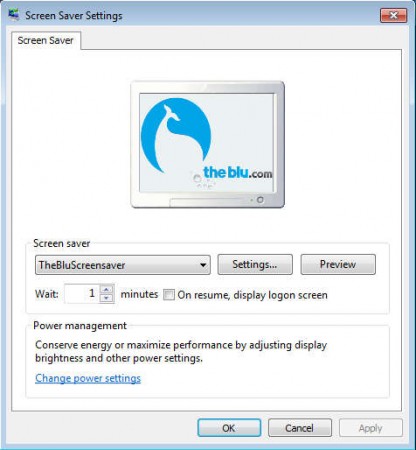
If you don’t like the screensaver it can be easily changed in the screensaver dialog of your favorite OS. TheBlu is the complete ocean suite for the PC, which every ocean lover should have installed. Default installation of TheBlu comes with 2 different “maps” between which you can choose from and which you can explore. There’s about 10 more, but in order to open them you’ll have to spend some cash on points with which you can open up more of the game. Even without that, TheBlu has a lot to offer, make sure to try it out.
