Windows Live Writer is a free blogging client that enables you to compose a blog entry and publish it to popular blog services. Windows Live Writer is compatible with most of the blog services including Windows Live, WordPress, LiveJournal, Typepad, Blogger, and more. It can run on Windows XP, Windows Vista, Windows 7 or Windows Server 2009.
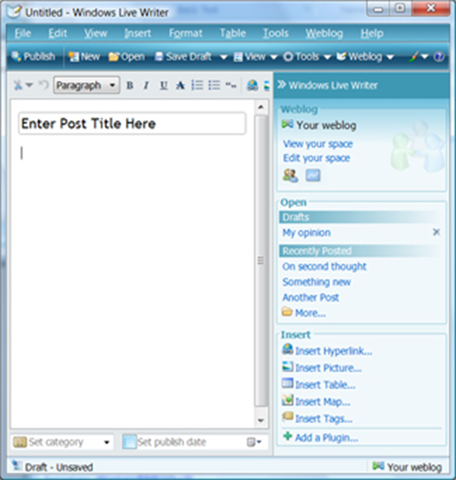
The installation wizard is easy and straightforward. During the installation wizard, you are required to enter your Windows Live ID, and password. The internet explorer browser has an add on that allows you to add blogging functionality. The Live Writer uses WYSIWYG editor for composing a blog post. The WYSIWYG editor allows you to edit the fonts, background images, paragraph spacing, set margins, and insert blockquote without the need of HTML coding knowledge. Here is a detailed article that explains how to upload images with Windows Live Writer.
Also check out other components of Windows Live Suite: Windows Live Family Safety, Windows Live Movie Maker, Windows Live Mail, and SkyDrive
Here are some of the features of Windows Live Writer
- Includes WYSIWYG editor
- Include an English spell checker
- Allows users to insert maps from Windows Live local
- Users can will be able to add keywords to the post
- Adjust the time stamp
- Add URLS to send trackbacks
- Add multiple categories
- It can automatically detect the categories of your blog
- Users can create drafts and publish them at a future date
- The post entries are automatically saved on your local computer
- Preview the blog post before publishing it on your blog
- Set the interval for the drafts to be automatically save
- Automatically check for grammar and spelling errors before the post is published
- Ignore uppercase words
- Ignore words with numbers
- Offers additional features through plugins
- Upload images directly to your blog and publish it. The image will appear in the appropriate folder on your server.
Windows Live Writer is one of the best free desktop blogging client. Stay tuned to find out about other lesser known blogging clients that are almost as good, or even better :)