mailVU is a web service where you can create video messages and then send them over email to whoever it is you want to contact. To user this service you’re gonna have to register an account with the website, there are three different account types, free account is available, next to 2 paid ones. Web camera is also necessary, this is video email service after all, you can’t have video email without a web camera.
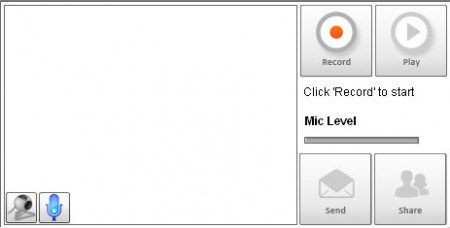
This is the recording area where you can create video emails that you can send to your friends or clients. Video email is very popular with online businesses because it allows them for an actual person to send the message. You can register a free account with the website, but in order to send video email message that’s not necessary, just follow the wizard on the main page and send the message without registration. With a paid account you get the following perks:
- Change video branding, add your company logo
- Upload pre-recorded video, there’s a recorder on site
- Embed code, so that videos can be put on websites
- Recorded video downloading
But these features are only necessary if you have your own company. Free service that mailVU offers is more than enough for regular users. You get the following with the free service:
- On site video email recording
- 10 minutes video message recording
- Self destruct videos, after a certain amount of days
- Save video and keep track of statistics
- Contact management
- Videos play on desktop PCs, laptops (obviously), Mac’s, smarphones
- Sharing videos over Twitter, Facebook and other social networks
Similar software: Airtime, Userlike.
Recording a video with mailVU video email provider
To start recording a video, in the recording interface that you can see on the image above click Record. That will prompt a small window which asks you to allow access to your camera and microphone, make sure that they are plugged in and hit Record:
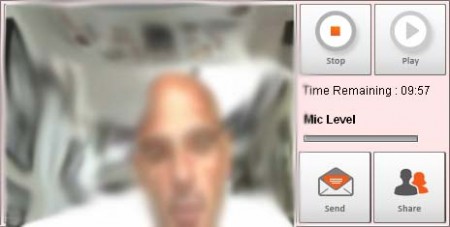
Recording will then start and you can see the minute countdown on the right, going down from 10 minutes if allowed recording time. It should be more than enough to send a message to someone.
Send video emails with mailVU video email provider
After you’re done recording the message, click on the Stop button and Send button will appear, or if you want to share the video with your customers over social network, hit the Share button where you get link to the video that you can share on Facebook, Twitter or even on your website. By clicking on the send button you get the send email wizard:
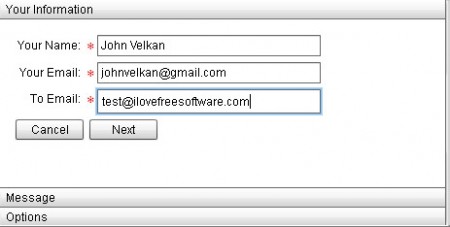
Here you enter you email details, don’t worry you don’t have to share your password, your email is used just so that the person can reply to your email when they hit the Reply button. You can also write an additional message and tweak some additional options, hit Send and email will be delivered.
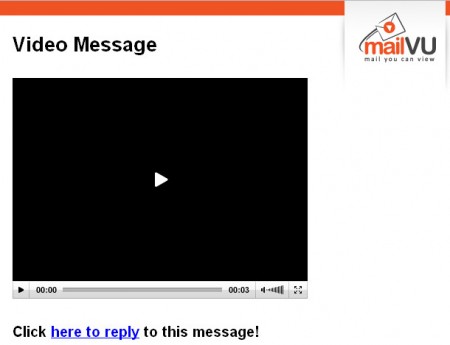
Video won’t play directly in the email, email will just have a link to the mailVU website where the video is embeded. This service is very useful for those who don’t want to type, or this who want to add a personal touch to their messages, try it for free.
