BoxCryptor is a free software that you can use to create an encrypted folder and password protect folder so that the files which are inside cannot be accessed or tampered by anyone but you, or other people who know the password that you placed on the folder.
Something like this can be very useful if you are sharing your computer with several different people and you have data which you don’t want anyone else seeing or using. This is also use to provide additional protection to data that you store in cloud folders using services like Dropbox, and Google Drive.
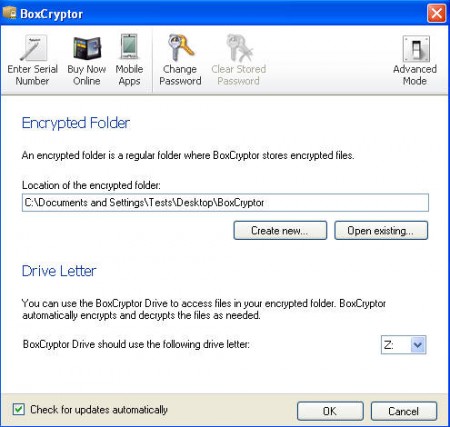
This is the default window of BoxCryptor and as you can see the interface is very easy to understand and there’s not a lot of options to confuse people. Everything that you need for having an encrypted folder is right there in the BoxCryptors main page. There’s also the option for opening up the Advanced mode at the upper right corner which offers more options for those willing to tinker with this encryption program.
How exactly is BoxCryptor encrypting a folder?
Short answer would be that BoxCryptor is very similar to recently reviewed TrueCrypt encryption software, only it has a lot less options than TrueCrypt. After installation program requires you to restart your PC, after doing that you will be greeted with the following screen:
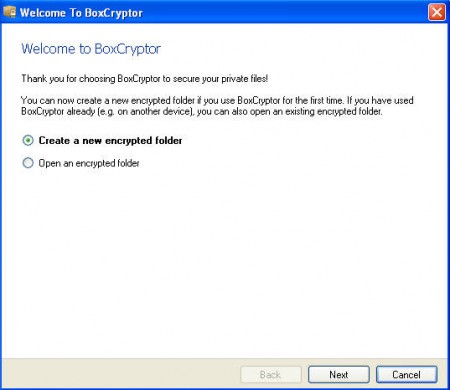
Here you are given the option to either create a new encrypted folder or to open an existing encrypted folder. Creation of the encrypted folder is very easy, all the input that is required from the user is to designate a location where the encrypted folder will be saved, and to enter the password with which the folder will be protected. Simple to follow wizard takes care of all this, and there’s no need to explain it in a lot of detail. Once you’re finished, BoxCryptor will automatically mount your encrypted folder as a virtual partition, exactly the same thing that we saw TrueCrypt do:
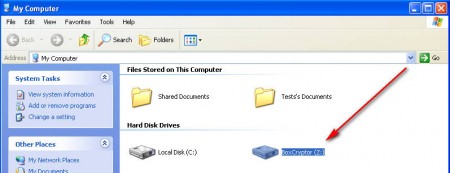
Every time that the computer starts, a BoxCrypt window will pop out where you can enter your password and decrypt the folder in order for it to be available while you are using the computer. Those who do not know the password will not be able to peak inside the created virtual partition, or should I say folder.
Limitation of the free version and conclusions
BoxCrypt free is limited to 5GB of data stored inside the encrypted virtual hard drive that it creates. There are also two paid versions of this application which are offering unlimited space, and the more expensive option also offers the option for commercial usage of the software in companies.
Great thing about BoxCryptor is that there are versions not only for Windows, Mac and Linux, but also for Android and iOS, which means that you can use it on your smartphone. Technically speaking Linux doesn’t have BoxCryptor as a standalone application, to open up your encrypted BoxCrypor folder in Linux you’re gonna need to use a third party application EncFS which uses the same type of protection that BoxCryptor offers. The encryption that’s used is AES-256, which is what the government uses, definitely more than enough for home users, unless you’re a spy ;).
