Moo-o is a free interactive story telling application which you can use to create video stories where your children or you yourself play the character roles according to pre-made scripts, that way kids can learn how to read better and they have loads of fun in the process. This story creator is free, but stories themselves are not. You get 1 free story for which it’s necessary to register with the Moo-o website, and if you like the application, you can buy more.
Right after you start the application, you’ll first be asked for email and password, which you are given during registration. Then you will need to make sure that your camera and microphone are working, because like we said, with Moo-o, the star is you. Camera is necessary because it will be used to put your child’s face on the faces of characters, and microphone because you will also be the voice of the characters in the story that you’re reading and making.
Checkout free language learning app for kids.
Improve kids reading and have fun with Moo-o story telling app
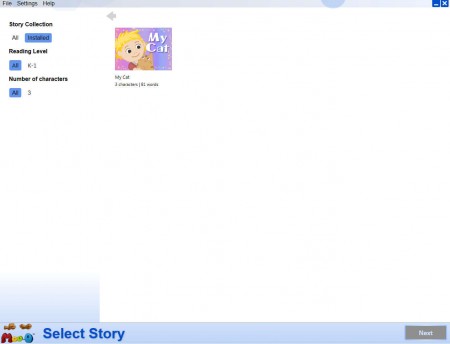
On the image above we can see the one lone story that we get with the free version of Moo-o. Story has 81 words, which can help out the little ones improve their reading, and there are 3 characters to choose from, you can either be Dad, Pat or Cat.
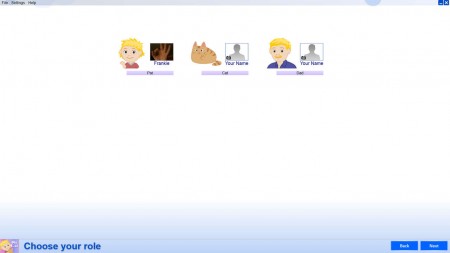
Here you can see why exactly camera is needed, when you’re choosing which character you’ll be, you can use it to take a screenshot of your child’s face which will be replacing that of the character, and of course enter a new name, use your own if you wish.
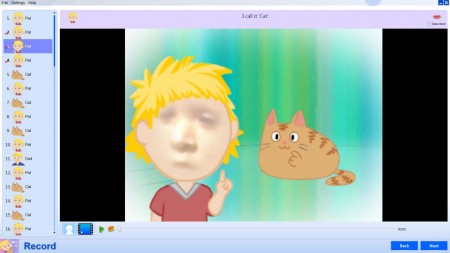
Each scene on the left will have to be recorded separately, and for each scene there is a number of words that have to be read, see at the top of the image. Webcam here is used to change the face of the character with faces of your kids, in real time, see on the image above how that works. Microphone is used to record the text as it’s being read, so that it can be listened later on while watching the video.
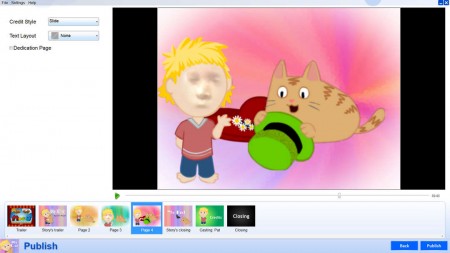
You can record all the scenes, or you can only do a few of them like we did on the image above. This is the Publishing part of the video creation, where you can see every scene that you made, and also select various different video introductions and beginnings. Here’s how a completed video looks like:
Conclusion
Reading is very important, and it can be very difficult to force youngsters to learn how to read. Because of this fact, that children are not very interested in learning how to read, at least not all of them, it’s necessary to make the experience fun for them, and that’s exactly what Moo-o does, it makes reading fun, not only for your kid, but also for the entire family, because you’ll without a doubt have a few laughs when watching your little ones playing with this free video story maker. Free download, only for 1 story.
