Wise Folder Hider is the perfect tool that you can use in order to hide folders, files, and even entire USB thumb drives. This can be done for a number of different reasons, but the main one would of course be to improve your privacy and the privacy of your data.
We talked before here on ilovefreesoftware.com about various different programs that you can use to encrypt folders in order to protect files contained in it from being seen by someone with whom we are sharing our computer, or if we are just living with someone who is very nosy and decides to invade privacy. Wise Folder Hider is the perfect tool that can be used here, because like we already mentioned, it can actually hide data important to us and remove it completely from being seen, not just created encrypted folders which could still arouse curiosity.
How to hide folders and files with Wise Folder Hider
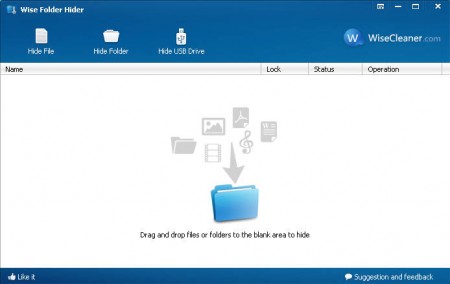
Well like you can see on the image above, hiding files and folders is as easy as dragging and dropping the files and folders that you want protected onto the white blank space in the center of the program. But before you do that, after starting up the program for the first time you’re gonna have to set the password which you will be asked each time that the program is started.
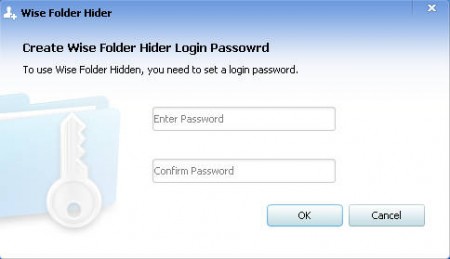
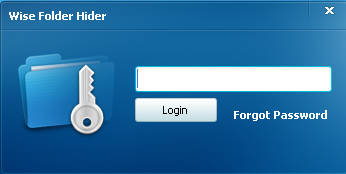
This means that next to hiding files and folders, Wise Folder Hider also adds password protection of your data. Since files and folders which are hidden can only be seen from the application, that means that without knowing what the password is, the intruder will not be able to invade your privacy.
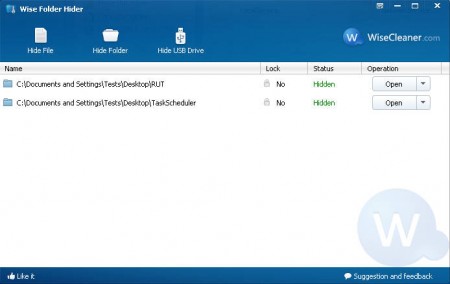
After you drag and drop files and folders into the Wise Folder Hider, they will immediately disappear from your computer. If you are thinking that all that program does is change the file setting to hide it, you’re wrong, it doesn’t, we checked. The files are really hidden from the system and cannot be found with normal techniques, and unless the person who’s invading your privacy is very knowledgeable when it comes to computer security, your files will be safe.
How to hide USB Drive with Wise Folder Hider
As you can see on the image above you have the option of either hiding files, folders or USB drives. If you are interested in having a flash drive connected to your PC without anyone noticing it, then you can use Wise Folder Hider to hide the flash drive. Click on Hide USB Drive option, select the drive which you want to hide and click OK. The flash drive and all the files that are on it will become hidden and accessible only through the Wise Folder Hider.
Conclusion
Hiding folders is very useful, and when you add to that the fact that Wise Folder Hider also offers password protection you are left with an amazing application, which should be in the arsenal of anyone who’s having troubles with unwanted meddlers.
