Noia 4 is the current version of Noia which is a popular extreme theme for Mozilla Firefox browsers. Noia 4 offers users 5 themes which they can select from, makes it very easy to use Personas and provides for a few other tweaks all meant to make your browsing experience better. Noia 4 is supported by all Firefox browsers from Firefox 4 and above and is available in 5 languages including Swedish and Italian.
Features of Noia 4
The most important feature on Noia 4 is the theme configurator which has several skins and tweaks that users can select to customize their Firefox browser. The theme configurator has quite a number of features,
- Place the Noia 4 toolbar button on any toolbar on the browser
- Skin types which can be used to customize tabs with TabMixPlus, Fabtabs and TabUtilities
- Allows for easy usage of Firefox Personas
- Different homepage, bookmark, reload, previous, next and close tab buttons.
- Setting fonts and shadows for toolbars, status bar, tabs and drop down menu
- Changing the default blue colour on active tabs
- Customize the colour, icon and text on Firefox button
How to customize Firefox
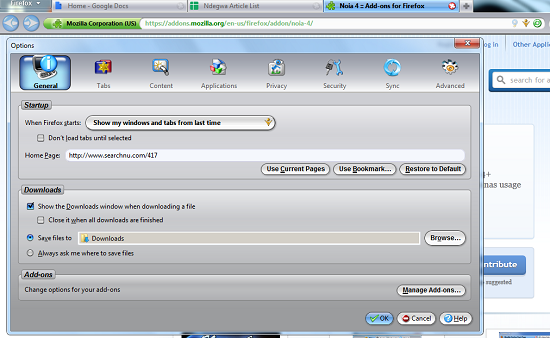
Installation is not a problem. You just need to allow Firefox to download and add Noia 4 to your browser Add ons. Once completed, Firefox will prompt you to restart the browser to enable changes to take effect.
Once the changes are effected, the new theme immediately kicks in. The theme manager must be added as a button on the toolbar. The theme manager has three main tabs, one for skins another for fonts and the last for tweaks. The skins tab is used to configure skin settings like the colour, style of drop down menus, colours of active tabs, colour of toolbars and transparency of dropdowns. You can choose skin colour between three colours, black, grey and blue or choose to disable skins altogether.
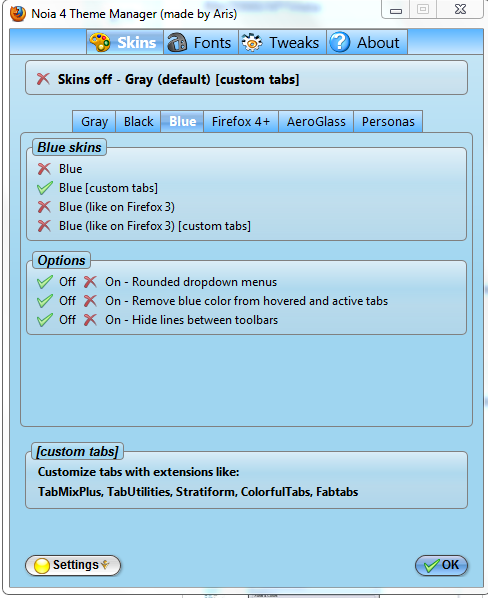
You can choose to enable Firefox 4+ skins and customize them using extensions like TabUtilities. Users can also enable AeroGlass skins on individual or all tabs and enable transparent drop down menus and dialog boxes. The Personas tab contains links to Persona repositories and a few Persona Configuration settings.
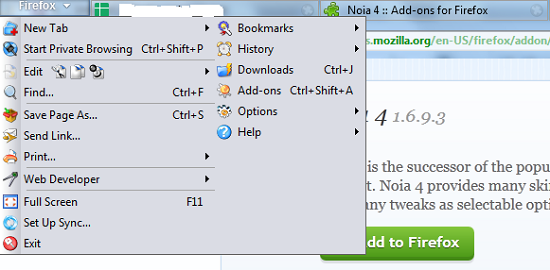
The Font tab allows you to set colour and shadow for an inactive tab, an active tab, toolbars, status bar and drop down menus. The Tweaks tab contains six tabs which can be used to tweak the Firefox buttons, toolbars, windows, tabs and scroll bars. The Firefox button can be configured to contain text, icons and text, become transparent or change according to the mode of browsing. Buttons can be made dark, transparent or rounded. Tab options include changing formatting on the title of the active tab, using rounded tabs, placing larger close buttons on tabs and even setting the active tab to blink. You can also set the colour and style of the minimise, maximize and close window control icons. You can also export, import or reverted to default settings via the Settings button.
Opinion
The ability to customize Firefox with Noia 4 is almost limitless. I found it very easy to install but not very user friendly. You could be easily confused by the numerous customization options. The add on literally brings life to your Firefox browser with some amazing tweaks and skins and will be ideal for anyone looking for a new look.
Verdict
Noia 4 is a great add-on for anyone looking for an alternative to the rather plain default look and feel on a Mozilla Firefox browser.
