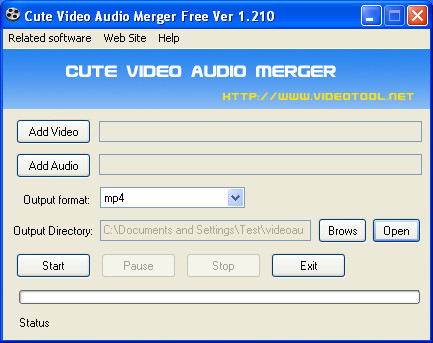
Cute Video Audio Merger Free is audio/video editing software that you can use in order to merge different audio and video files together and convert them into 4 different video formats. This tool can come in handy if you have a video file without a sound, which could be the case if you were recording something with an older phone, with Cure Video Audio Merger you can join a music file with the video so that it’s not only silence when watching.
Similar software: Swifturn Joiner, Join video files
Everything that’s needed to join audio and video files with Cute Video Audio Merger waits for you upon opening the application. Notice the Add Video and Add Audio buttons, each one of them will start the standard load file screen where various video and audio file formats can be loaded. Program comes with its own set of codecs and practically every video format imaginable can be opened and have audio joined to it. All of the major audio formats are supported as well, here’s just some of them:
- AVI
- MKV
- FLV
- MP4
- MOV
- WMV
- MP3
- AAC
- iPhone video
- 3GP
There’re over two dozen different formats which are supported, so there won’t be those pesky messages format not supported with Cute Video Audio Merger, let’s now have a look how exactly you can join audio and video with Cute Video Audio Merger.
Join audio and video with Cute Video Audio Merger
Well, the first step we already mentioned, click on the Add audio and video button so that the dialog windows for audio and video files which have to be joined appears:
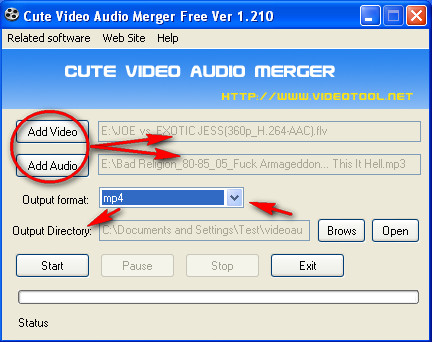
After they are opened and you can see their location listed in the input boxes like on the image above it’s time to select the output format. With output format you can convert the original files to one of 4 different audio/video formats, we have the following format choices:
- MP4
- SWF
- FLV
- WMV
Surprisingly there is no AVI format for the output file, but don’t worry you can perform additional conversion later with additionl converters. Last thing that you need to set is the output folder, that’s where the merged file will be saved. Make sure that you choose a location which you can find easily later on, like the Desktop. After all that is set, click on Start and the selected video and audio files will be joined together.
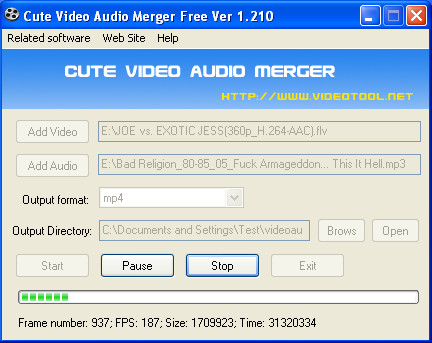
Once that the joining process is completed the directory where the merged file was saved will open and you can check out the quality of it. We were impressed, although it would be better if there were video quality settings for the output file.
Another thing that we’ve noticed, if you choose a video file that already has audio for the conversion, the old audio will be removed and replaced with the new one, new one isn’t only added on top of the old one. This makes Cute Video Audio Merger audio replacer, not just merger.
This is a great tool if you’ve made a video and you don’t have audio on it, in just a few clicks you can add ambient music or sounds. Make sure that the length of the audio is longer than the length of the joined video, because otherwise audio will disappear half way through.
