LastPass Wallet is a free official LastPass app for iPhone. This time LastPass people have launched a secure storage box instead of password manager which they are famous for. This iPhone LastPass wallet app stores your confidential information on iPhone with a secure password. Confidential information can include bank account details, credit card details, database, driver’s license info, email account info, instant messenger, insurance, passport, server info, software license, Wi-Fi password and much more. Knowing the popularity of LastPass, we can be sure that this app from them will also be a secure medium to store our confidential info.
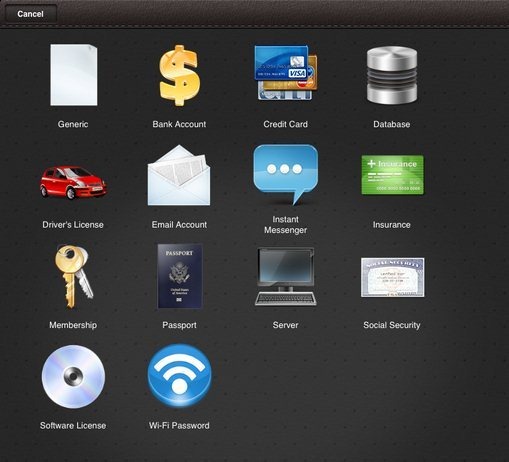
You might find this iPhone LastPass Wallet app very useful, as this is a better and secure way to store confidential info on our smart iOS device. Another good part of this LastPass Wallet app is its sync with PC feature. You can easily sync all the info saved in LastPass Wallet iPhone app with your computer. With this, you will be able to check the information saved anywhere without your iPhone or iPad.
Remember: LastPass Wallet app is only supported by iPhone and iPad. iPod touch does not support this app.
You can check out Password managers for Google Chrome.
Some Key Features Of iPhone LastPass Wallet App:
- Store all your confidential info in the app on your iPhone.
- The app offers you the option to save the info related to bank account details, credit card details, driver’s license info, email account info, notes and more.
- Simple to use on iPhone and iPad.
- The app is secured with a password. All the information you store is secured under the master password.

- Provides you the tabs to save full information.
- All the info will be displayed according to the name of the info saved.
- Sync LastPass Wallet with your PC.

- Sign-up with the app to secure your info separately in the app.
- Comes up with smart search.

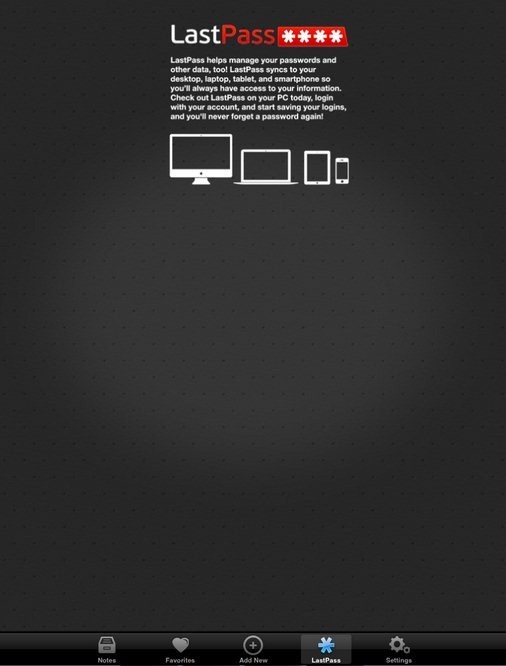
How To Sync The App With PC:
- Install the app on your iPhone or iPad.
- Login with LastPass Wallet account in the app. If you don’t have LastPass account, then create a new account.
- Now open www.lastpass.com and then login with same username and password of LastPass Wallet on your PC.
- You will find all the information which you saved from your iPhone or iPad.
Install LastPass Wallet App:
Login to App Store and then search for “LastPass Wallet” app in App Store. Or you can also scan the QR Code below with Barcode Reader and then install the app on your iPhone or iPad.

Store all your confidential information and keep away your debit card or credit card, as you have all the information right on your iPhone or iPad.
