Here, are 5 free calculator extensions for Google Chrome. Windows operating system on your computer already have calculator installed. But windows calculator is a very basic calculators with basic functions to perform. Chrome web store has many calculator extensions which enables a smart calculator on your Google Chrome browser.
In this article we will discuss about calculator extensions which include Simple Calculator with basic functions, Numerics Calculators & Converter’; online calculator extension, Scientific calculator, and more.
Also check some Calorie Calculators reviewed by us.
Calculator for Google Chrome:
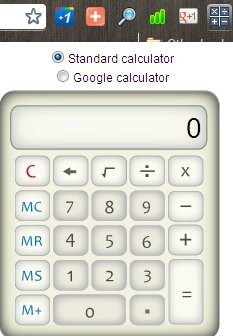
Calculator is a free calculator extension for Google Chrome web browser to make simple calculation on Chrome. This calculator extension is one of the most simplest extension in terms of calculators in Chrome web store. You just need to install the extension and then click on calculator extension icon in the extension bar of the chrome. The extension provides a simple or regular calculator and Google Calculator on Google Chrome web browser. Switch to any one of them and start doing calculations on your Chrome browser.
Numerics Calculators & Converter:
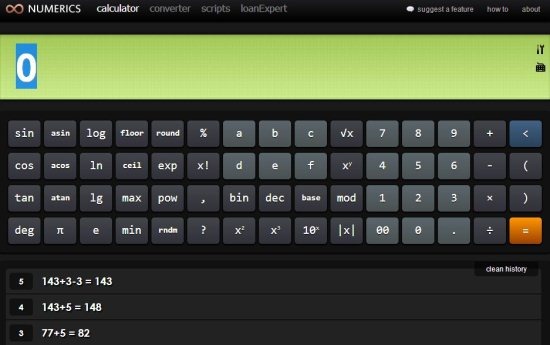
Numerics Calculator & Converter is a free Chrome app to enable online calculator and currency converter on Google Chrome browser. This app for Google Chrome is installed in the form of Chrome app. You will not find any special extension button in the extension bar of your Google Chrome browser. The calculator app diverts you to a webpage which displays online calculator.
The calculator of the this Chrome app has multiple functions which include logarithms, numbers, alphabets, and more. You can type using your computer keyboard or enter the values by using default extension keyboard. The calculator even provides calculation history which makes it easy for you to access previous calculation easily on Google Chrome browser.
The converter of Numeric Calculator is also a very good part of the calculator app for Chrome. You can easily convert any amount from one currency to other. The app even allows you to add your own scripts and the calculator will work accordingly.
Scientific Calculator app for Chrome:
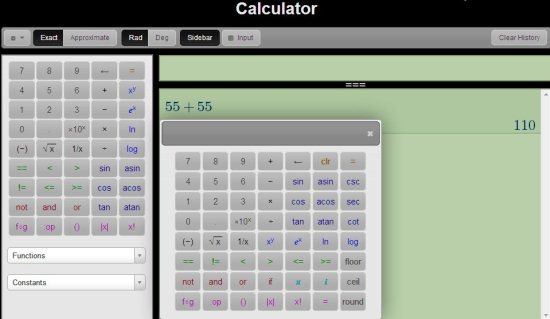
Scientific Calculator is another free calculator app for Google Chrome browser. This app offers a simple scientific calculator to make scientific calculations. Like Numeric Calculators & Converter extension, this app is also installed in the form of Chrome app. No need to search for any special extension icon in extension bar. Just access the app page of Google Chrome browser and you are done with. The good part of this Scientific Calculator app is that, the calculator app works offline. The calculator tells approximate value and exact value of the calculation performed. Multiple functions are provided by the app. Just push down the drop down list and select any function. You can select the input medium as your default keyboard or on-screen keyboard.
Elegant Calculator Extension for Chrome:
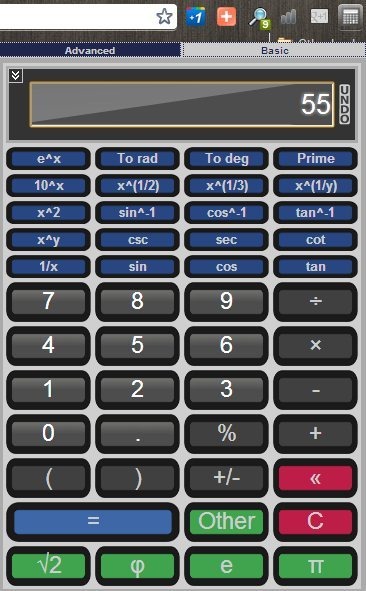
Elegant Calculator is a free calculator extension which provides an elegant and useful calculator on Chrome browser. This calculator extension provides two calculators type which includes advanced and basic. Advanced calculator type include some scientific functions with logarithms. Basic calculator include basic functions like a normal calculator contains. The calculator is simple and easy to use on Google Chrome browser. You can use your computer keyboard or on-screen calculator keyboard to do calculation with this Elegant Calculator keyboard extension. The settings options of the calculator extension allows you to switch between different calculator themes.
Melanto Calculator:
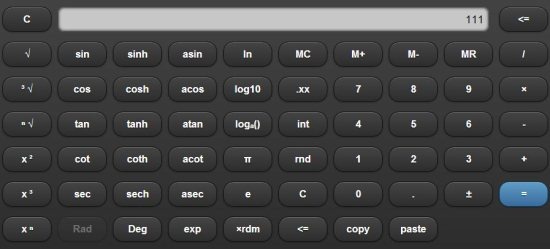
Melanto Calculator is a free calculator app for Google Chrome which offers a nice calculator on Google Chrome. Melanto Calculator is installed in the form of chrome app. The calculator looks as if you are using some on-screen keyboard on your computer. The calculator provides big buttons which makes easy for you to make calculation by entering values at a faster speed. Along with basic calculator, the app also provides logarithm functions and some other scientific functions. Melanto Calculator works even if you are offline.
You can also check out one of the popular Financial Calculator extension for Google Chrome. I had not included this extension as we have already reviewed it.
