DrivePurge is a free portable system cleaner which will scan your computer for unnecessary junk files which are known to accumulate over time and slow down your system. If you’re not careful enough, you could also lose a lot of disk space, so it’s always a good idea to check your computer with a system cleaner and see if there’s room for improvement.
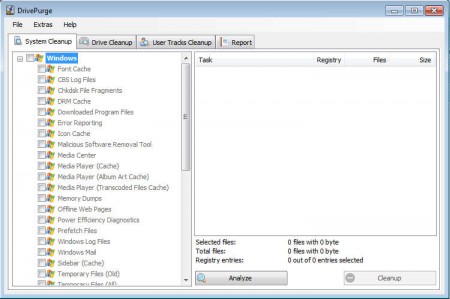
DrivePurge doesn’t have to be installed, it’s a portable application which makes it perfect for computer technicians when they are visiting a customer and when they want to do a quick PC optimization from the thumb drive, without going through with the installation hassles. As you can see from the image above, DrivePurge is capable of cleaning the system in three different ways.
- System Cleanup
- Drive Cleanup
- User Tracks Cleanup
Each one of these has several different subgroups of system locations, applications and registry entries which will be scanned and where system problems can be detected. According to the creators of DrivePurge there are over 750 different system areas, applications and registry entries for which this free system optimization software can find errors, and you can use it to improve the speed of your system completely free of charge.
System cleanup with DrivePurge
If you browse through the DrivePurge System Cleanup tab, the first one located in the top left corner, you can see which system locations will be deleted exactly, and choose the ones that you want deleted.
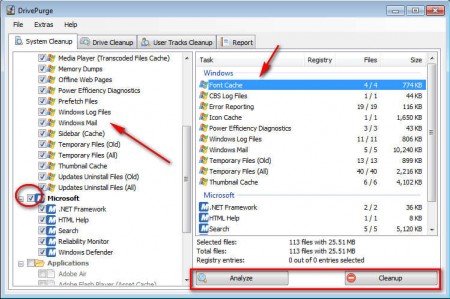
As you can see on the image above, you can select each one of the items in the category individually or you can select the entire category and have everything cleaned. If you’re unsure what to select here, you can go ahead and select everything, at least when it comes to the Windows category, because pretty much everything can be deleted from there. Be careful when it comes to purging Application files, because it’s possible to delete something important from there, deselect the applications that you don’t want cleaned.
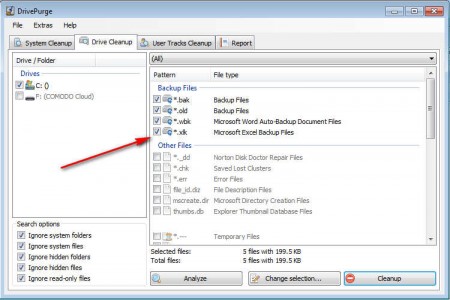
Here we have the same cleanup that we had for the system, only here we’re now cleaning the entire hard drive, and as you can see on the right, we’re cleaning old files, backups and temporary files with this option, and you can free up a lot of disk space with this option.
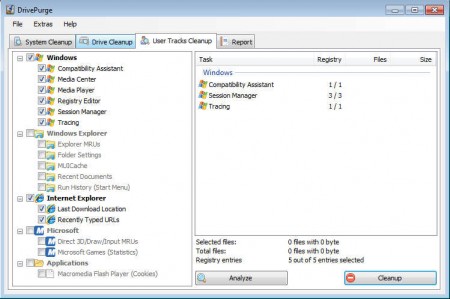
Last cleaning option that DrivePurge offers would be the User Tracks Cleanup where you can delete your computer usage history, from recently opened documents in Windows, to browsed web pages in Internet Explorer.
If your computer is working slow, and if you have problems with disk space shortage, then you should try scanning your computer with DrivePurge and see if that could maybe help you improve your situation a little bit. This cleaner application is free, and since there is no installation you don’t even have to waste your time installing it in order to see how good this free system cleaner is. Be careful when deleting, you don’t want to delete something important, like browser logins, because you will do that with DrivePurge, next to everything else which was said, so give DrivePurge a try and see how it goes.
