SpiderOak is an amazing Online Storage, sharing and syncing software. It is totally free for upto 2GB of online storage. It creates a cloud of data storage which you can use to securely and easily back up all your files and photos.
SpiderOak is not just online backup, or online storage. It is actually a combination of 4 services:
Online Backup
Just define the data set that you need to backup. SpiderOak takes it over from there. It backs up all that data securely. Apart from that, SpiderOak also tracks any changes in any of the document. Any changes are automatically backed up. The best part is that SpiderOak also maintains all the historical versions of documents. Even if you delete a document from your hard disk, SpiderOak still maintains history for that. Everything is totally automated using SpiderOak software.
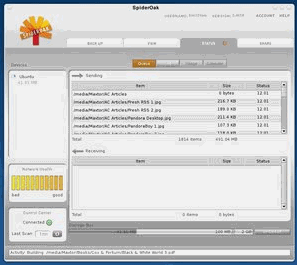
Sync
SpiderOak is especially great in terms of syncing data between different devices. You can sync data between multiple computers (even running on separate OS, like Windows and Mac), network drives, USB devices etcc. So, you can easily keep all your important documents and photos in sync at all the times. Just define the folders and devices that you need to keep in sync, and SpiderOak software will take care of rest.
Sharing
SpiderOak provides a very easy method to share your documents and photos with your family, friends, and colleagues. You create a share room, and assign password to it. Then you can add any documents in that share room, and share those securely. The best part is that documents in share room are kept updated with original documents. So, you do not need to update share rooms. Isn’t that neat!
Storage
SpiderOak provides a very efficient free online storage solution. You can upload data from multiple computers (Windows, Mac or Linux), external drives, network drives, USB drives etc. The data is securely stored at your online location. The best part is that you can access the data through any of these devices that you have defined as your network, or securely through web. So, there is always a safe way to access your data anytime.
Security of your Data
One of the things that we most like about SpiderOak is the security of the data. They have a unique no-knowledge policy. In a nutshell, even if somoene has access to their physical servers, they cannot read the data from disk as it is stored in encryted form, and no one knows that key. They don’t even know your password. Thats amazing.
All the above features make SpiderOak one of the most advanced online storage, backup, syncing, and sharing solution. The aspect that it is totally Free upto 2 GB is amazing. SpiderOak is very versatile and works on Windows, Linux, and Mac. It also works on Debian Etch, Debian Lenny, Fedora 10, Mac OS X, Slackware 12.1, Ubuntu Gutsy Gibbon, Ubuntu Hardy Heron, Ubuntu Intrepid Ibex, Ubuntu Jaunty Jackalope.
We still prefer SkyDrive if you need more free online storage space (25GB). But if 2 GB works for you (it is more than enough for most home users), then SpiderOak is much better – hands down. Download link at end of article.