Battle Tanks 2 is a free tank game available for PC download. Command your squadron or troops to destroy your enemies and achieve victory.
Battle tank 2 is a simple but amazing tank game. You can either sit relaxed and watch the battle or you can participate in the battle and help your team win.
Spread Out and Attack:
In Battle Tanks 2 you can play with three different tanks in five different scenarios and battle against 4 different computer teams. You can choose either Quick game or Normal game.
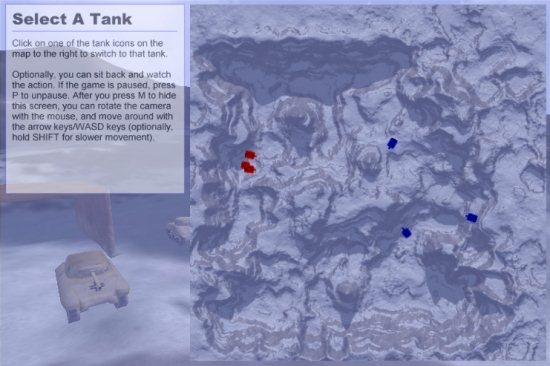
As soon as you start the game, you will see a map and you will be asked to select a tank. You can point at a tank and watch the battle from its view or you can unpause and give commands to your team like a professional commander and start fighting with your enemies. When you point your mouse at a tank it gives the details of the tank whether it is light tank or medium tank or heavy tank. Don’t worry because even if you die in between, you will be asked to jump into another tank from the map.
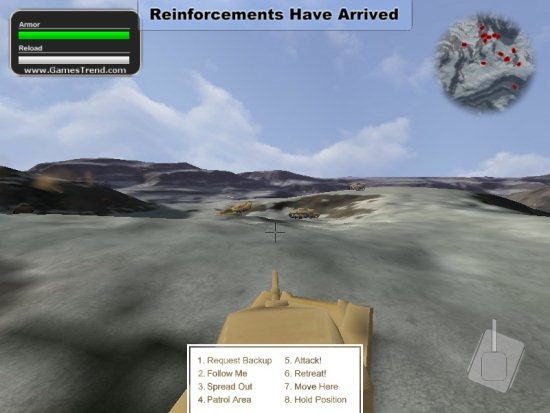
Below your screen there will be commands written with numbers beside them. Press that number and your team will follow your commands. The commands are: Request Backup, Follow Me, Spread Out, Patrol Area, Attack!, Retreat!, Move Here, and Hold Position. As soon as you give a command you will get a reply back saying: Roger That or Affirmative. So cool, right!
The different maps available are: Desert Battle, German Invasion, Country Battle, Echo Canyon, and Russian Defense. You can choose any team from United States, Russia, Germany, and Japan. You just have to invade other countries. Your area will be symbolically represented with a flag of your country and after you invade other countries your flag will be hosted in that area automatically.
You just have to move around and if you spot your enemies then start attacking. Your armor (resistance power) and reload power is also indicated on the screen. A mini map is also shown to locate your team and enemies. Your tank barrel can rotate 360 degrees; so you may get confused with the position of your tank. The tank position is also shown at the bottom.
Controls of Battle Tanks 2 for PC:
This tank game is a 3D game. The controls are:
- [WASD] to move your tank.
- Left click on mouse to shoot.
- Move the mouse to rotate the barrel.
- Right click on mouse to aim.
- [P] to pause.
- [M] to see the map.
- Number keys to send commands.
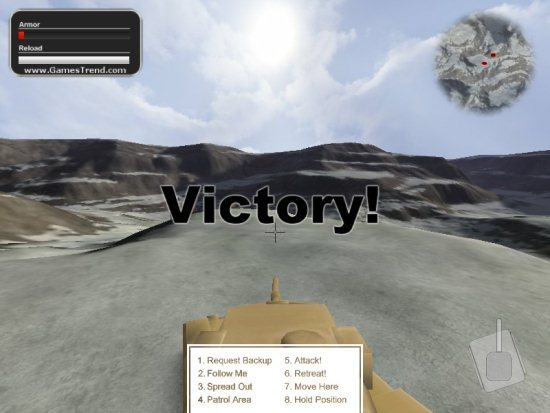
The background music is an old classic military music; which motivates you so much. The graphics are also very good and every detail is visible.
Other action shooting games reviewed earlier include: Hidden and Dangerous and Contra for PC.
Click here to Download Battle Tanks 2.
