Capture.Net is a multifunctional free desktop enhancement software that can do a lot of useful things. It’s actually a combo of system management tool and desktop enhancement tool. This free desktop enhancement tool is packed with a calendar, a screen-capture tool, a clock, a privacy eraser and a file converter. But, this amazing software takes very small amount of memory which is another great feature of this software. This tool is also known as the Swiss Army Knife of PC tools.
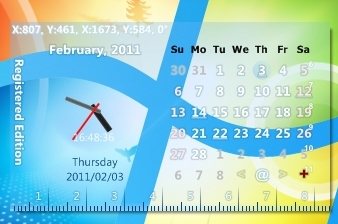
You can take screen shots with its screen-capture tool. You can take full screen shots or regions. It provides a zoomed in view of the place you want to take the screen shot. Once you are done grabbing screen shot, it will be presented in Capture.Net’s image editor. You can crop, rotate, add small effects if you want in it. You can also post sticky notes on your screen. With its privacy eraser, you can clean clipboard, cookies, the recycle bin, temporary files, your recent documents, Windows Events logs and other things. If you are a programmer or designer, there is a great tool waiting for you. The color picker helps you to pick any color from your screen. You can also ask for random color suggestion by clicking on the random button. There is a file format converter which allows you to convert image files to other image formats.
This free desktop enhancement tool is available in two different version, a free version and a professional version. And all the features mentioned above are available in the free version. The free version also comes with a tweaker, a backup expert, clock and other small utilities. You can create a backup of your mails stored in Outlook and Favorites and feeds from Internet Explorer with the backup expert. You can do basic registry tricks with the tweaker.
If you want to add 3D effects to your desktop, you can try Aximion 3D Desktop, BumpTop and T3Desk
Features of Capture.Net:
- Capture Screen: You can take full, window or regional screenshots with Capture Screen.
- Image Editor: You can crop, rotate, add small effects and cut-paste captured images with its image editor.
- Post-It: You can post sticky notes on your PC’s screen with Post-it
It’s a standalone program which means it doesn’t require any installation. It’s only 725 KB in size and requires Windows 7, Vista, XP, 2003, and 2000.
Download Capture.Net Free.
