Snaps is a complete photo and video management suite which comes with a very interesting feature where you can add geographic tags to images and videos from your collection, so that you can see where exactly video and photos that you have stored on your computer were taken. Geotagging is the name of this interesting feature, but it’s not the only thing that Snaps has to offer, there’s still a lot more tools and tricks which are waiting for you.
Snaps only works on Windows 7, that would be the only drawback that it has. Even though you’re using Windows 7, there are still a lot of people who are on Window XP, and they are not gonna be able to enjoy this free multimedia management software. Full list of things that Snaps can do would go something like this:
- Organizing images and videos
- Geotagging – add Google Maps, Bing or Yahoo locations to photos
- Find tool – for a more easier image and video search
- Metadata editing – edit image and video information
- Online image sharing – Facebook, Flickr and ZenPhoto services are supported
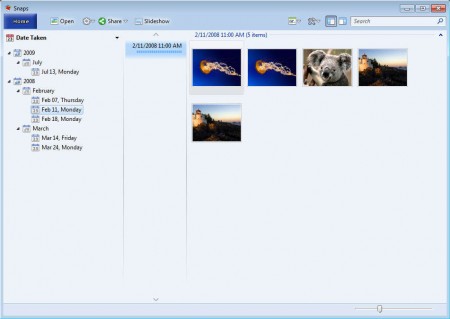
When you first start Snaps it should prompt you for the location of your photo and video collections, and it should also ask you if you would like to connect your Facebook, Flickr or ZenPhoto accounts for image sharing. Do both of these right away, so that when Snaps opens up, you see what can be seen on the image above.
Similar software: Arc Soft Photo+, Simple Doc Organizer, Image Sequence Viewer.
How to manage photos and videos with Snaps – free photo and video manager
On the image above you can see that the images are being sorted based on the date that they were created. This can come in very handy when for example you’re dealing with a large photo collection and you only wanna see photos taken a few months back. Three other sorting options are available:
- Tags
- Places
- Folders and the already mentioned
- Date Taken
The most interesting sorting would undoubtedly be the Places image sorting:
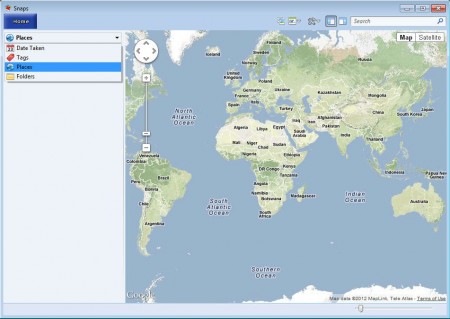
Use it in order to sort images based on the locations where they were taken. You can add geo locations to images by opening up the additional right Geotagger sidebar:
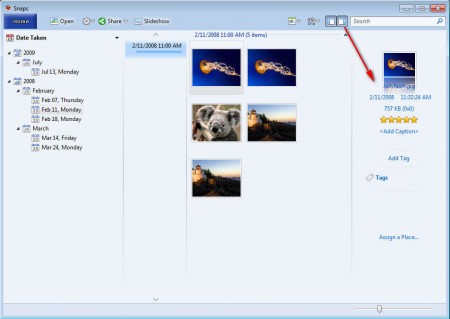
There next to adding Geotaggs, you can also add regular Tags used during search. Images can also be rated and on top of all that you can also give them special captions. Both files and videos can be viewed from inside Snaps, you just have to double click on them.
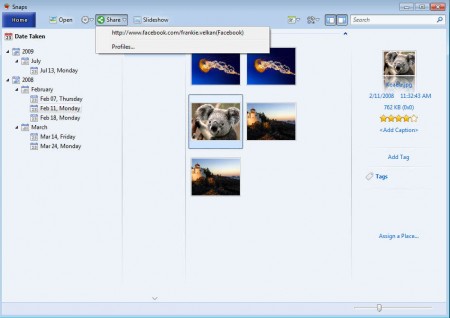
Posting images to social networks is also available, add your Facebook account, authenticate, select the image that you want to upload and then click on Share. When you select the account to which you wish to upload, a window should pop up where you need to select the album if it’s Facebook and upload should start. You get all of these feature completely free, if you’re using Windows 7, download Snaps and start managing your photo collection on a whole new level.
