Browser Cleaner is a free software that can clean browsing history of all browsers on your PC together. Apart from cleaning browsing history, it can also delete temporary internet files. This free program is also a good disk cleaner, and can clean windows, clean Windows temp files, clean clipboard cache, and a lot more.
Browser Cleaner has a very easy to use interface. The various system cleaning options are divided in form of tabs. Just click on any tab, and you will see the related cleaning options. First tab is “Internet Items”, and this includes options to clean history of browsers. Browsers supported by Browser Cleaner include IE, Firefox, Chrome, Opera, Safari, Avant Browser, Flock.
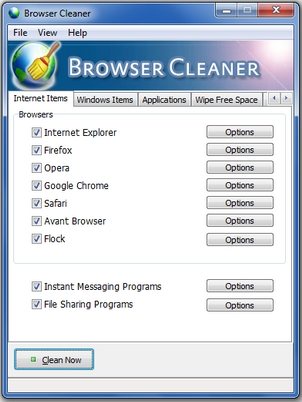
If you have multiple browsers on your PC, Browser Cleaner is a good free software to clean browsing history and temporary internet files from all of them together. Also check out other free software to remove temporary internet files.
Here are some of the cleaning options provided by Browser Cleaner:
- Clean Clipboard Cache,
- Clean Flash Player History,
- Clean Google Chrome Traces,
- Clean Internet Explorer Traces,
- Clean Firefox Traces,
- Clean Opera Traces,
- Clean Flock Browser Traces
- Clean File Sharing Programs
- Instant Messaging Programs
- Clean Registry MRU Lists,
- Clean Windows,
- Clean Windows Log Files,
- Clean Windows Temp,
- Clean Registry Traces,
- Clean Messenger Traces.
- Clean AOL Instant Messanger
- Clean Camfrog Video Chat and many more
Another good option in Browser Cleaner is to securely wipe the free space. Basically, when you delete a file, it still remains on your disk, and can be recovered with deleted file recovery software. Browser Cleaner completely wipes out the data of deleted files from your disk, so that it cannot be recovered. Of course, there are stand-alone programs also to permanently delete files.
Download Browser Cleaner free.
