CCEnhancer is free add-on support for CCleaner program used to clean hard drive and clean registry. It supports CCleaner to clear those unwanted files and registry entries produced by the applications downloaded in your system, for which CCleaner doesn’t know where to look for. CCEnhancer is programmed for adding enhancing tool to CCleaner to effectively clean your system and removing files and registries consuming space in your system hard drive.
Why should you use CCEnhancer?
There are lots many applications are installed in your PC system. Every application produces redundant and useless files gets accumulated in your computer hard drive, in spite of running regularly CCleaner program. This happens because for some of the applications, CCleaner is aware of the location of files and registries generated by this applications like that of MS Office or Adobe Flash Player. But there are many applications and software, where CCleaner does not know as to where to look for while cleaning system for redundant files and folders. That is why; useless and unwanted files get accumulated in hard drives even after running CCleaner regularly.
CCEnhancer is built in order to help you in this regard. It adds support for hundreds of custom programs into CCLeaner to enhance it. So that CCLeaner while cleaning your hard drive look for those files and locations where this other applications generate their redundant files. CCEnhancer simply scans your system to see what programs you have installed and adds support for many to CCleaner in seconds. CCEnhancer checks your installed programs first, and installs support for only those programs that are on your machine.
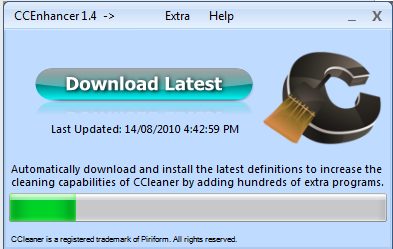
When you install CCEnahncer, you will notice that actual definition file of the program is not included in the software because the file is being updated constantly and you will have to download it separately for latest and updated copy. Simply press ‘Download latest’ and the file containing definition for CCleaner will be downloaded in seconds. After you have installed definition file, open CCleaner and you will see that the application tab in the cleaner has more applications added in the list other than what was already there. If CCEnhancer cannot locate the CCleaner.exe file you can open a dialog box and select the page yourself.
Here are some of the general features of CCleaner:
- It supports over 270 programs into CCleaner.
- The program offers single click operation. You just have to run CCEnhancer and click Download Latest, that’s it!
- Works for CCleaner portable as well
- Unzip application: just unzip the file with a program like Winzip alternative, and run it.
If you are a regular user of CCleaner, you will love the additional options that CCEnhancer provides. For system optimization options, you can also try Glary Utilities, or TweakNow.
