Snap Backup is an open source, and free backup software, which helps you to back up valuable files on your PC. One look at the software and you might get an impression that such simple things are a waste of time. However, Snap Backup seems to prove that simplicity is the best solution. Backing up files is a vital part of the maintenance of your computer, something which cannot be compromised.
Features Of This Backup Software:
- Open source and completely free backup software.
- Back up files on your computer, with a single click.
- Multilingual user-interface.
- Works on Linux, Mac OS X, Solaris and of course Windows.
- Settings are configurable.
- Back up files to any external hard drive, USB device or to your PC itself.
About Interface:
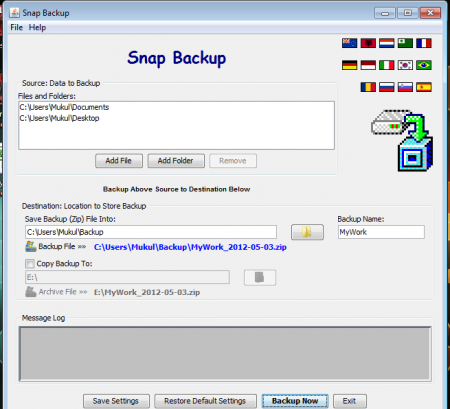
The backup tool comes with a straight-forward interface and is pretty easy to use. Since it is a backup software with a simple usage the interface is justly kept uncomplicated. The features are basic, and one can understand the entire process by a simple look at the interface.
Also, check out free full PC backup software reviewed by us.
Working of the Software:
As, it was already stated the software is a simple one with basic features, it is but obvious that it will have an ease of usage. A user can figure out its usage at the first go. All you need to do is to select the files or directories that you wish to backup. Next up is selecting the desired destination of storing the backup files. The backup tool allows you the option of choosing between a USB device, an external hard disk or anywhere on your PC itself.
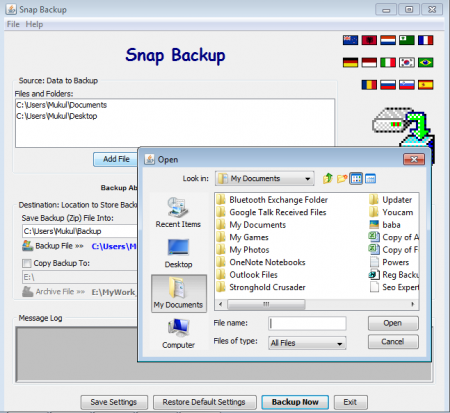
The moment you are done with selecting the source and destination files you can click the Backup button and you are done. Snap Backup will automatically store the backup files in the destination folder as a ZIP file.
Strength of the Software:
It’s basic and uncomplicated interface couples with the user friendly nature and makes it an ideal choice for the basic computer users. All you need to do is make two simple choices of source, and destination and you are good to go. It is indeed a blessing for the not so techy fellows. Also, there is a detailed help file (which I doubt you will need) to help out in any issue that may arise.
Software Drawback:
Since, the software only backs up files in a ZIP format it is not right for people looking out to store files in an uncompressed format. Also, one major drawback of the software is the lack of automated backup settings. One has to manually create every backup and there is no way to schedule an automatic backup. Since, it just saves ZIP folders many might think that it is not a backup tool at all.
You would also like to check out free software to backup computer.
Downloading and Installation Of This Backup Software:
One can download this backup software from its official website or from cnet and it does not take more than a minute to download and install. The software is compatible with Mac and Windows OS and can run on any system supporting Java. Windows version of the software is a mere 260 kb and thus takes a couple of seconds to download. Installing is a natural step by step process and also is pretty fast.
Verdict
We recommend this backup software for you if you are looking out for occasional fast backups. Snap Backup is appropriate for effortless and basic usage but not for the gizmo freaks. If you do not know a lot about the advanced backup software, you might want to go for it. Since it is free, it can be used by one and all at no pocket pinch at all. Download Snap Backup for free.
