Driver Detective is a free PC software to scan and find PC drivers. Driver Detective helps you to detect all the drivers which are supported by your PC or laptop. The tool detects only the drivers which are missing and out of date drivers. However, if you choose to download drivers using Driver Detective, you will need to pay for that. Driver Detective software is easy to use with simple options.
After downloading this free driver finder on your computer, just run a driver scan. The software will scan your computer and the type of hardware installed on your computer. Now, on the basis of operating system and your computer hardware, Driver Detective tells you all the missing and out of date drivers. Along with missing and outdated drivers, the software also tells you the up to date drivers, so that there is no confusion while setting up your system.
After running a quick scan and finding the missing or old drivers, the tool also allows you to download or update the drivers. But downloading or updating the drivers from Driver Detective is paid. You need to make payment for downloading and updating the missing or out of date drivers.
If you don’t want to pay for drivers, you can just run the driver scan with Driver Detective and check for the required driver name which is compatible with your system. Now, search for the driver manually on Google, or on any other search engine. Look for the free version of the driver and download and install it on your computer. This is how you can easily download the free driver which you require for your PC. Or, you can check out another similar software we reviewed earlier called Driver Easy that also downloads drivers for free.
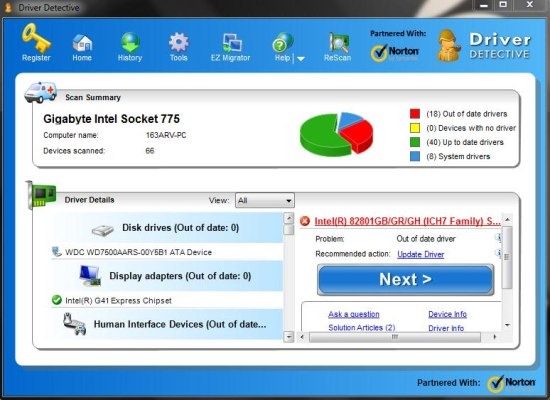
Of course, this software is useful for those who don’t have a backup for the driver of their PC, nor they have any idea that which are the drivers supported by your system hardware. For those users, it becomes easy to scan and download appropriate drivers for their computer.
How To Use Driver Detective:
Step 1: Download and install “Driver Detective” on your PC.
Step 2: Launch the software.
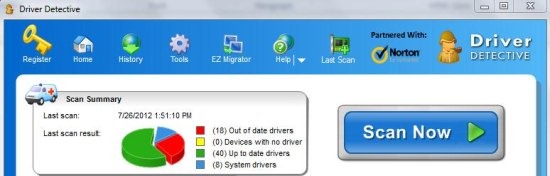
Step 3: Run driver scan by clicking the big “scan” button at the homepage of the software.
Step 4: The software will now give you the list of drivers which are missing, out of date driver, and up to date drivers.
Step 5: You can then sort the list of drivers that whether you want to look for missing drivers, out of date drivers, or up to date drivers.
Step 6: Select the driver and click on next button to download the paid version of the driver. You can even check for the driver by searching on Google or any other search engine with the driver name.
You can check out Driver Pack Solution to find missing hardware drivers.
Features of Driver Detective Software:
- Scan PC driver and find the supported hardware drivers for your PC.
- Search for missing drivers, out of date drivers, and up to date drivers.
- Sort the list of drivers as missing drivers, out of date drivers, and up to date drivers.

- Comes up with EZ Migrator to download all the drivers and make a burn a CD out of it containing the copy of all the drivers downloaded. (only available in paid version of the software)
- You can check for the last scan you did with Driver scanner.

Automatically update drivers, backup drivers, and restore drivers with SlimDrivers reviewed by us.
Driver Detective has proved to be a very useful tool for me. I have a Dell Inspiron laptop which I formatted and re-installed Windows 7 operating system. After re-installation, I was unable to find the sound driver for my laptop. Then after a long search, Driver Detective ended my search by providing the sound driver series for my laptop. Today my laptop sings by sounding aloud with the help of sound driver installed.
