WorldDesk is a utility which will create a virtual operating system inside your Dropbox or Box accounts or locally on your thumb drive which you can then use on the go. This is the perfect tool for anyone who wants to have a different working environment separate from the default operating system that is installed on the computer. In a lot of ways what WorldDesk does is similar to what you get in software like VirtualBox or VMware, in fact WorldDesk is partnered with VMware, so you sort of get an idea what I’m talking about when I say that with WorldDesk you get a virtual operating system environment.
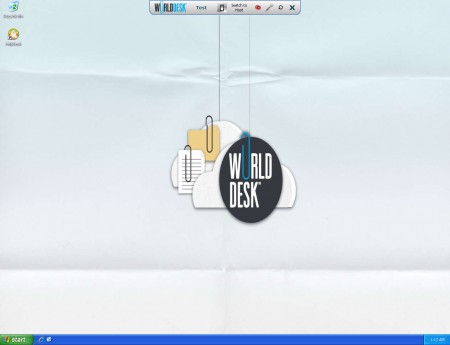
Image that you see above is actually a screenshot of a virtual Windows XP which is a WorldDesk machine installed inside a DropBox account. The only way that you could know that this is in fact not a real machine would be if you were to look at the background wallpaper or something that is more obvious, the WorldDesk toolbar at the top of the window. Virtualized machine has everything that a real machine has, and you can use it for a lot of different things, some of which would be:
- Easier access to necessary program while you’re traveling
- Safer online banking
- Increased privacy, create a special machine that only you know about
- Online account protection, no worries about stolen passwords
WorldDesk virtual OS installation
It doesn’t take long for you to create your own virtual OS, and for those who are thinking that you’re gonna have to have an installation CD in order to setup a WorldDesk virtual machine, you’re wrong, all that you have to go through is a simple installation wizard, where this is the most important step:

This is where you are asked where you want to install WorldDesk, you can either choose an external device like a USB thumb drive or external drive, or you can place the necessary file for the WorldDesk machine inside your DropBox account. The nessecery space for basic installation of WorldDesk would be 80 MB, but make it 100MB just in case. You’ll have to free up space if you plan on using WorldDesk. After the installation is completed, just run the desktop icon and the machine will start:
Using WorldDesk virtual machine
On the main website you can choose between several different versions of the virtual operating system that you can install:
- Windows 7 32 and 64bit
- Windows XP
- Windows 7 32 and 64bit Slacker Pack
- Windows 7 32 and 64bit Box
Box version is for those who use Box online storage, while the Slacker pack has some small games, and can play videos, if you’re interested in that sort of thing. We’ve already mentioned all the different uses that this type of a machine can have:
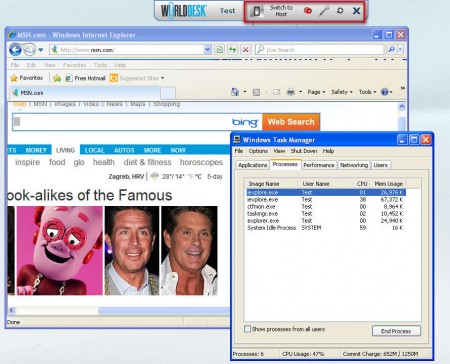
The basic Window XP machine comes with IE 8 preinstalled, and you can use that for safer online browsing, seeing how the WorldDesk virtual machine is not your regular system, which might be infected. The upper toolbar can be used to switch between the real OS and the virtual OS, and it can be removed. WorldDesk is a great program for all those who require easily installable and accesible virtual machine, make sure to try it out.
