Here, are 3 free calculator plugins for Firefox. Your Windows operating system already have a calculator which performs basic calculation. With Firefox calculator plugins, you can easily do calculations on your Firefox browser.
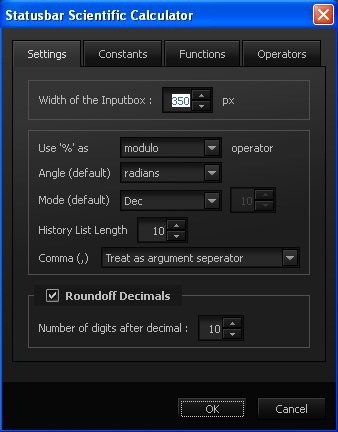
Firefox Add-ONS store has many calculator plugins. In this article, we will discuss about 3 free calculator plugins which include Status-bar scientific calculator; one of the advanced calculator plugin for Firefox, Basic calculator plugin, and Calculator which includes simple and advanced calculations.
Status-bar Scientific Calculator:

Basic Calculator:
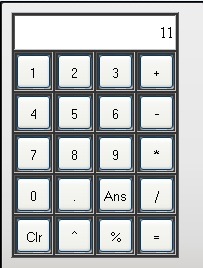 Basic Calculator is a free Firefox plugin to enable a simple calculator on Firefox browser. This Firefox calculator plugin displays a small calculator to do basic calculations like addition, subtraction, multiplication, division, and more. After installing this calculator plugin on your Firefox browser, you have to use calculator keyboard instead your PC keyboard. To launch the calculator, press Shift+Alt+Z from your computer keyboard or you can head to adds-on bar of your Firefox browser and then launch the calculator. To close the calculator, press Shift+Alt+X keys from your PC keyboard.
Calculator:
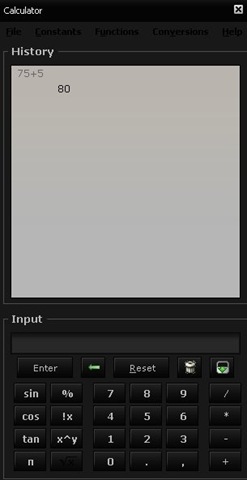 Calculator is a free Firefox plugin to enable an advanced calculator on Firefox browser. The calculator plugin provides number keys to do simple or basic calculations. The calculator plugin also has logarithm keys to make some advanced calculation on Firefox. To launch the calculator, you need to head to tools menu and then calculator options (Firefox?Tools?Options). Launch the calculator and adjust the screen size according the calculator if you have launched the calculator plugin in side bar. To close the calculator, click on “Close” button and close the calculator running on your Firefox browser.
If you use Chrome browser, then check out Calculator extensions and apps for Google Chrome.
