Driver Easy is a free software to scan computer and find the appropriate drivers supported by PC. Driver Easy is one of the fastest and most convenient way to find missing driver for your PC.
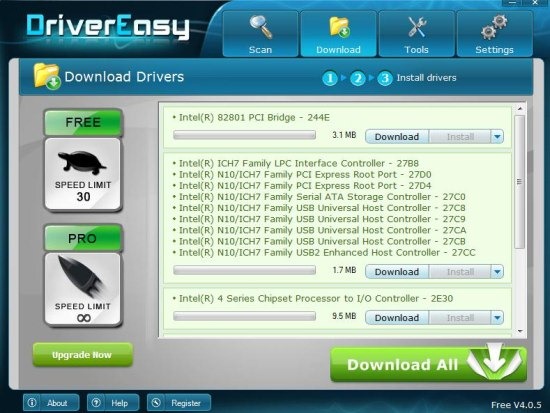
This driver scanner is simple and easy to use. You just have to run Driver Easy and scan the whole PC. Driver Easy will automatically scan the hardware and according to the operating system installed, the tool provides you with the list of drivers which are supported by your PC. Now check for the driver which you want to install on your PC and then click on download button to download the driver from the web. The software will automatically search for the driver selected and downloads it. After the driver setup is downloaded, you will see the install button in Driver Easy tool only. Click on the install button to install the driver on your computer.
You must restart your computer to activate the changes made. Restarting the computer makes the driver start working on your PC. Likewise scan your computer and download the appropriate drivers required for your PC to perform better.
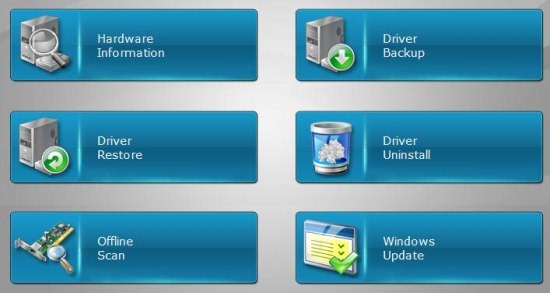
Apart from showing the list of missing drivers, the tool also helps you to find the outdated drivers. You can download the update from the software itself and then install the driver updates on your PC. You can check other tools other than scanning the drivers of your computer. Other features include checking up the hardware information, driver backup, restore drivers, driver uninstall, offline scan, and windows update. I truly liked the software because of its simplicity and usefulness.
How To Use Driver Easy Software To Find Drivers:
Step 1: Download and install Driver Easy on your PC.
Step 2: Launch the software and run hardware scan.
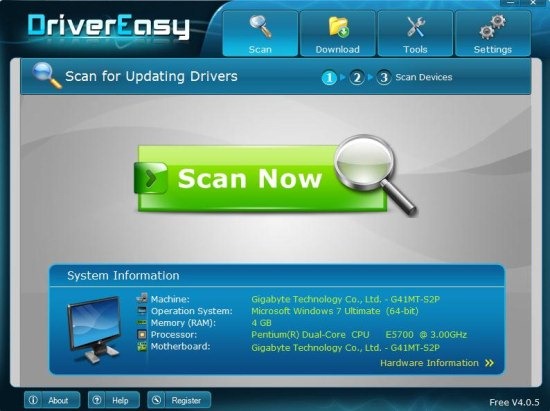
Step 3: You will get the list of outdated and missing drivers. Check which one you need.
Step 4: Now, click on download button to download the driver. The software will be automatically get connected to the web and download the driver setup.
Step 5: After download completes, click on the install button to install the driver setup.
Step 6: Now, you must restart you computer to make the driver work on your PC.
Remember: While running the hardware scan through Driver Easy, make sure your computer is connected to internet. Driver Scan also works offline, but in that case you cannot download the driver. Offline scanning only detects the list of drivers which are outdated and missing. So, it’s my personal recommendation, that you should run driver scan with Driver Easy when your computer is connected to internet, so that you can quickly download and install missing drivers.
Features Of Driver Easy:
- Run the driver scan and find appropriate drivers for your PC.
- Free download and installation of missing and outdated drivers from the software itself.
- Includes additional features like checking up the hardware information, making driver backup, restore drivers, and more.

- Comes in multiple languages.
- Check all the hidden devices.
- Creates a system restore point before installing the drivers.
- Nice and easy to understand interface.
Driver Easy helped me lot in installing Wireless driver for my desktop. I was very upset, as my desktop Wireless internet connection did not work because the driver was outdated. Then my search ended when I found Driver Easy software for my PC. I scanned and found that the Wireless adapter driver was out of date. Then I downloaded and installed the latest driver update. Now my desktop wireless connection works like a charm.
If you are really facing the problems regarding your system drivers, then install Driver Easy driver finder and make your PC perform better with up to date drivers.
We have also reviewed about Uniblue DriverScanner which also helps you to find out missing, outdated, and up to date drivers for your system.
