SoftPerfect Network Scanner is a free software that scans all IP addresses in a given range and finds which of the IP addresses have a network device attached to them. It then finds what type of folders are shared on those devices and displays all of them, including system and hidden folders. Apart from that, it can auto detect local IP range and external IP address, discover active DHCP servers, and provide assistance for remote shutdown and retrieving system info via WMI.
Network Scanner is an advanced multi-threaded application that quickly scan network computers. The tool is equally useful for network administrators, as well as for normal users. It helps in identifying which IP addresses are in use, and see if users are sharing folders on their computer that they are allowed to share.
You can grab Network Scanner free of cost using the link given at the end of this article. After downloading the software, you can extract the contents of zip file and choose the appropriate version (32 or 64-bit) for your system. Network Scanner is portable and hence doesn’t require any prior installation. You can simply launch the app through a double click and start using it on your system.
Network Scanner is an IP, SNMP, and NetBIOS scanner, and comes with many advanced features, and still ease of use.
Also check out free IP scanner, Fing, and wi-fi network scanner.
Using SoftPerfect Network Scanner:
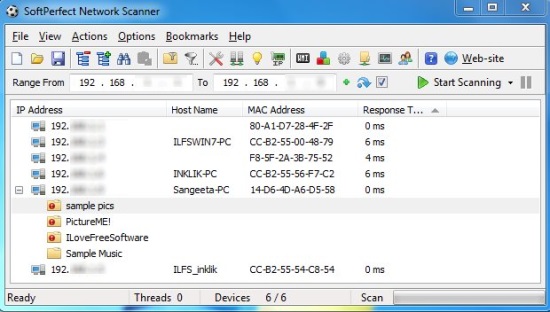
Network Scanner is quite easy to use. Once you open it you will see a “Range From” section below the tools panel where you can specify the starting IP and ending IP address between which you want to scan all IPs falling within the range. After this, just press the Start Scanning button on the right. Network Scanner will then start a quick scan and display results in few seconds.
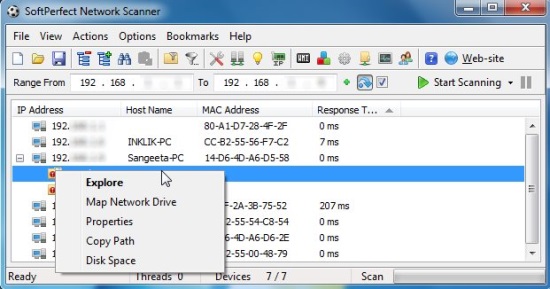
The main window contains the scanned results. The shared folders will be listed in a treeview which you can expand by clicking the minus sign corresponding to the IP address entry . You can explore the folder contents, view properties and disk space, map network drive, or copy path of any scanned IP by right-clicking on its entry and choosing appropriate option from the context menu.
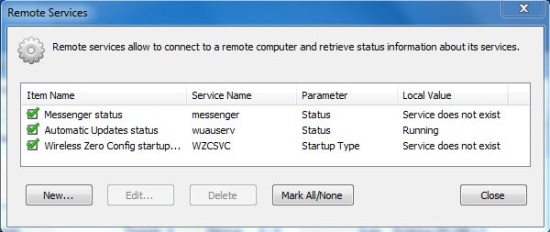
Apart from that, the tools menu list some options that will help you to find specific IPs, filter results, go to program options, auto detect IP range, and open Wake-up LAN Manager. Other options include making connection to a remote computer and retrieving information via WMI subsystems, registry, services, and finding users and group memberships.
Features of SoftPerfect Network Scanner:
- Free network scanner for Windows.
- Detects external and internal IP addresses.
- Detects shared folders.
- Detects hardware MAC-addresses, hostname.
- Retrieves information from remote computer.
- Allows sending network messages, wake-up alerts.
- Allows mounting folders and network resources.
- Allows remote turn off, sleep, hibernate.
- Export results to TXT, CSV, XML, HTML format.
- Completely portable.
- Easy to use.
The Final Verdict:
SoftPerfect Network Scanner is a good network scanner that helps in discovering IP addresses that have shared devices attached to them, and further detecting shared folders on those IP addresses. It is completely free, and a useful tool for network and security administrators .
