Songsmith is a music maker software, where you can write, sing and create a song all by yourself. For those that like to sing, want to put songs together, but don’t play an instrument or know how to write music, there are a number of software options available. Songsmith, from Microsoft Research, is one of those options. With this software installed, all you need is a microphone to create your own songs.
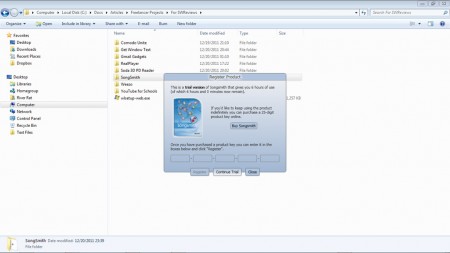
Easy Download and Installation of this music maker
The installation download for this program is pretty big at close to 100MB, but since it’s on the Microsoft servers, that download goes pretty quickly with a fast internet connection. Installation is straightforward, but you have no control over whether or not icons are created (they aren’t). This means that if you want desktop or quick launch icons, you’ll have to create yourself.
Easy to Use and Intuitive User Interface
The program is almost completely wizard-driven, which makes the learning curve very shallow. All of the options have tooltips, which makes understanding what function they perform quite easy. The program comes with a good-sized selection of music types to choose your background instrumentals. Some of these options include rock, classic rock, classic pop, classic California pop, reggae, and salsa. The popular musical styles of today are well represented with a number of hip hop and R&B choices, as well.
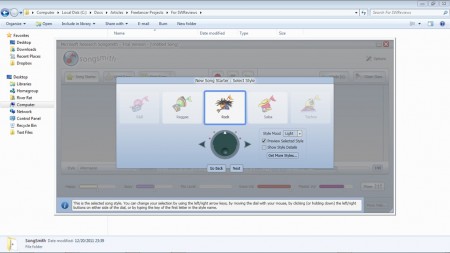
Once you choose the musical style, you can choose the tempo. After that, it’s time to start singing and recording. The program has a meter near the bottom of the window to let you know if you’re singing loud enough, or too loud. You also have visual cues letting you know when each bar begins and ends. This helps you keep tempo with the background instrumentals.
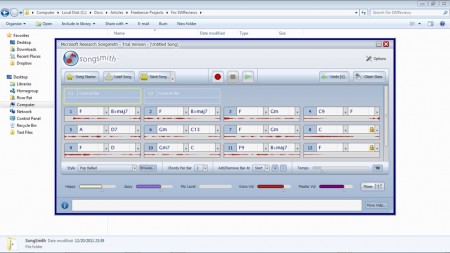
After you’ve finished recording your song, it’s time to mix it. The program allows you to raise, and lower levels of the instruments and your voice getting them to exactly where you want them.
The Drawbacks
The drawbacks I saw with this program aren’t numerous, but they are rather significant. The biggest drawback is that this program is trialware, not freeware. Microsoft gives you six hours of actual program usage before you’re required to buy it, or it becomes non-functional. The six hours are only counted as actual program usage time, however. This means that if you minimize the program, or bring a different program to the forefront, the timer stops. Even Songsmith is trialware it is fully functional. According to the website you don’t gain any functionality from the program by buying it like with many other pieces of trialware software. The price to purchase this software varies by where you live. Those in the United States may buy it for $29.95.
The other drawback to this software is limited export capabilities. Songs that you create are saved in a Songsmith proprietary format. If you want to export them for use in media players, you have two options, Windows Media Audio format (WMA) and WAV, both of which take up quite a bit more space than a Mpeg Layer 3 (MP3) file.
There are also other background instrumentals that you can purchase for the program to increase the types of music you can make with the program. There are three extender packs available. Individually they cost $29, but if you buy all three together, the price is $69 US.
Songsmith is very easy to use and doesn’t take long at all to get up to speed. If you’re going to spend money on a software package to make music with, you’re better off looking elsewhere, like to FruityLoops, in my opinion.
