RSSOwl is a free news feed reader that allows you to organize, gather and search news content in a suitable and flexible way. If you are not familiar with RSS readers, it’s an app that collects data from websites that are RSS-compliant. And RSSOwl is such an app that helps you to collect data from RSS-compliant websites in an easy and flexible way. Moreover, you don’t have to think before downloading it that if it’s going to work in your PC or not as this free news feed reader is a platform-independent software. Which means you can use it in any PC.
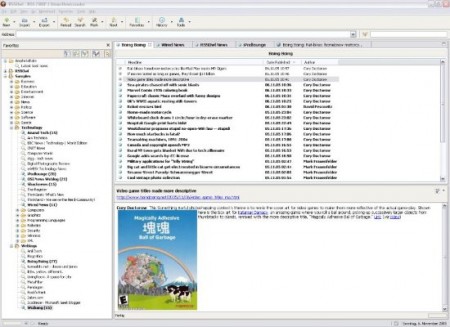
The latest version of RSSOwl is filled with new features. If you have a Google Reader account, you can synchronize your list of subscriptions with your Google Reader account. This free news feed reader is like a dream come true for readers as they can manage all their subscriptions in a very polished way and with necessary details. Moreover, they can manage all their data and synchronize them with their Google Reader account. You can save important information for offline viewing or sharing in various formats if you want. If you want to open them in multiple tabs, this free RSS reader allows you to open news feeds in multiple tabs to take a look at them side by side just like you open websites in your browser.
This free RSS reader is lightweight, fast and cross platform. It also comes with embedded browser which allows you to open a news entry in its full content if you want. You can open as many tabs as you want just like we do in web browsers. If you want to organize the news feeds in different groups, you can try the grouping mode. It allows you to arrange all your news feeds by author, category or date. If you want to receive news from a specific topic, you can select keyword feeds to do that.
You can also try RSS Xpress, Feedlooks and GreatNews reviewed by us.
Features of RSSOwl:
- Fast, lightweight and cross-platform RSS reader
- Open news feeds in multiple tabs like you open tabs in web browser side by side
- Open news feeds to see its full content with its embedded browser
- Organize the news feeds by date, author or category with grouping mode
RSSOwl is available for download at RSSOwl’s official website. It’s only 3.77MB in size and supports Windows, Linux and Mac OS X. Try RSSOwl Free.
