3D Picture Viewer is a free software that enables you to easily find and view images. The program allows you to find pictures you are looking for and view them in a 3D space. The 3D space allows you to view files in a list of thumbnails, toggle between images and open images.
Features of 3D Picture Viewer
- Simple and easy to use interface.
- Automatic image search.
- Accelerated scrolling for easy swiping between images.
- Supports a wide range of image formats like BMP, JPEG, PNG and GIF.
How to use to View 3D Picture
Installation goes on without any issues. The interface is very simple and intuitive. Most of the interface is occupied by the 3D space and there is your usual menu bar at the top. You can add pictures one by one by clicking the Load images in the File menu. This opens a file browser which filters compatible image formats. In case you want to add directories, use the Load Folder button. This adds images from a directory and has the option of adding images in the folder sub directories. You can click on Clear images to remove all images from the program. A progress bar takes you through the process of adding images. Image filenames are displayed on the bottom left corner.
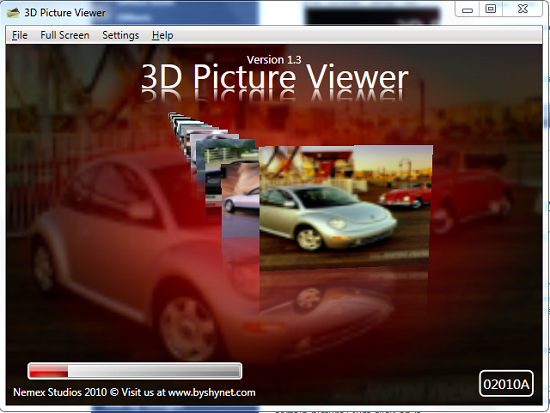
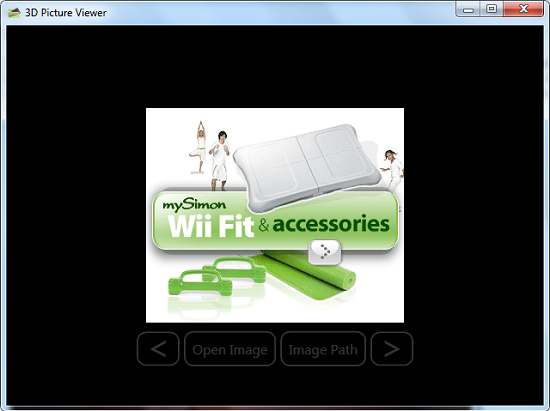
You can access the program in full screen mode by clicking on the Full screen menu. You can click on the tiled thumbnails to open the image in the program. You can toggle between images by focusing your mouse on any image or by using the next and previous buttons that appear when the full images are opened. You can also open the image in Windows Explorer by clicking the Open image button or open the file directory by clicking the Image Path button. The menu bar auto hides when images are opened in full and can be viewed by clicking inside the window.
The Settings menu enables you to add 3D Picture Viewer to the windows explorer context menu for easy opening of images. You can also set image thumbnail sizes and resolution. You can also set a background for the 3D space or revert to the default background. User support is available via the Help menu which redirects you to the program’s homepage.
Pros
- Simple and easy to use interface.
- Fast and easy opening of images.
- Ability to add program to windows context menu.
Cons
- No drag and drop support.
- Not very light weight as originally presumed.
Verdict
3D Picture Viewer offers you a unique fun and exiting way to find and view images on your computer.
