Here, are 5 free software to hide a file inside another file. These software come with a unique functionality of hiding a file inside another file, this unique functionality protects your sensitive information or any other important information from going into wrong hands. These free software protect your files with powerful encryption that cannot be cracked easily. Once you hide a file inside another file, hardly anyone could even guess that you have hidden a file inside the file.
Plain Sight
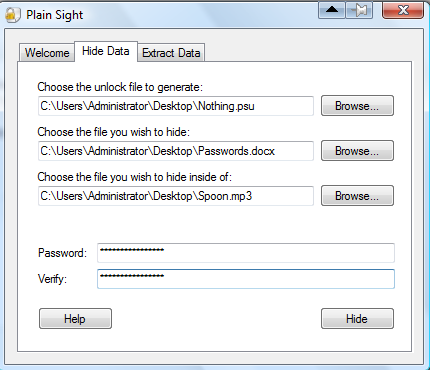
Plain Sight is a free file encrypting software using which you can hide a file inside another file. This free software uses a very strong military level encryption technique for hiding a file inside another file. This software is unique for it’s functionality, as it hides a file inside another file in such a way that anyone could hardly guess that a file is hidden inside another the file. This file encryption software lets you choose 3 files which are unlock file, file you wish to hide and file you wish to hide inside of, then you need to enter the encryption password. So it’s very difficult for anyone to crack that much strong encryption.
Read more about Plain Sight or try it here.
Our Secret
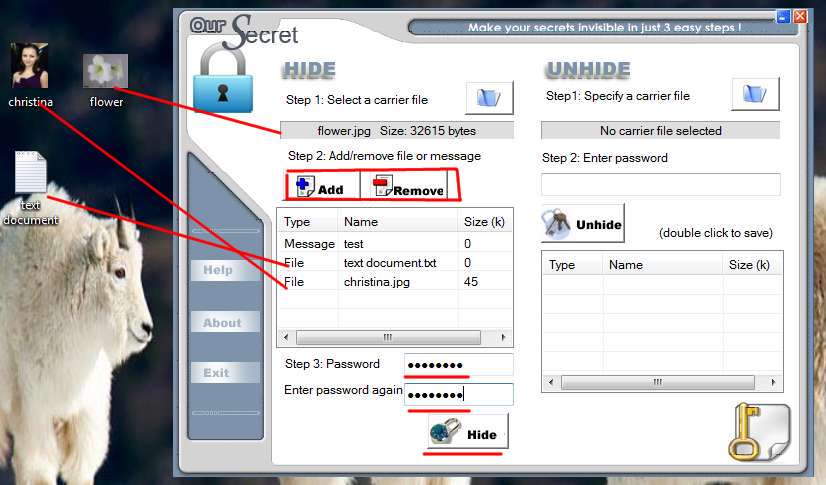
Our Secret is another free file encryption software that lets you hide a file inside an image file and further make it password protected. Apart from hiding files, you can even hide text messages inside image files. The interface includes 2 sections which are hide and unhide, under the hide section you can hide any kind of sensitive information inside an image file. And the unhide section is obviously for unhiding or recovering the hidden data. The image file inside which you can hide a sensitive information should be preferably in JPEG format. With Our Secret, you can easily hide and password protect your sensitive data effortlessly.
Read more about Our Secret or try it here. Also, check out our post on WinMend Folder Hidden.
ZipnJPG
ZipnJPG, as the name itself suggests, that this freeware helps you to hide zip files inside JPG image files. This functionality of hiding a zip file inside JPG file makes this software unique. It hides zip file inside JPG file in such a way that no one could ever notice that there’s a Zip file hidden inside a JPG file. If you have a zip file that should not to be accessed by any other person, then I would suggest you to use this simple software to hide that zip file in a JPG image file.
Try ZipnJPG here.
DeEgger Embedder
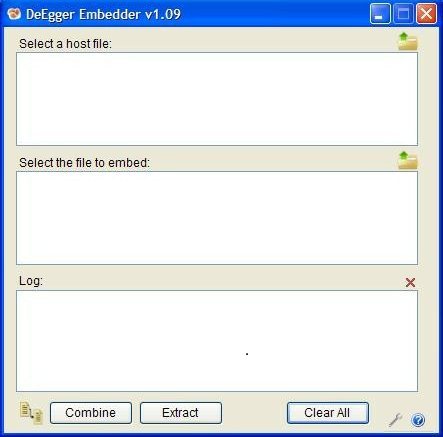
DeEgger Embedder is another free file encryption software using which you can hide a file inside another file. This file security software is capable and efficient enough to secure files in formats like AVI, JPG, MP3, PDF, PNG, etc. This file security software comes in file size of only 452 KB, which is very small when compared to its functionality. The interface is very basic and straightforward, as it’s divided into 3 sections, first section to select a parent file, second section to select the file which you want to hide, and the third section is log which displays all the information related to the process.
Read more about DeEgger Embedder or try it here. You would also like to check out SafeHouse Explorer reviewed by us.
Veneer
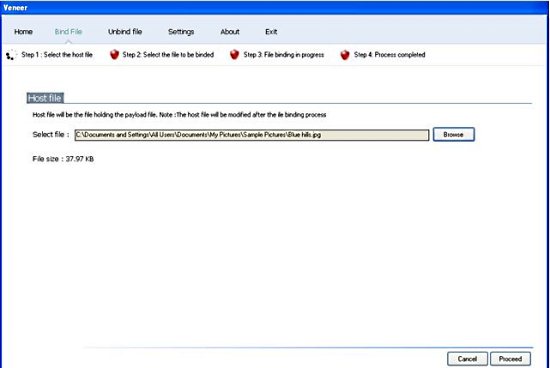
Veneer is a free file securing software which lets you hide a file inside an image file. In this way you can secure any of your confidential or sensitive data. This file protecting software even allows you to unbind or unhide files which are hidden inside image files. For using this file protecting software, firstly you need to select an image file in which you need to bind your secured file. Now, you need to select the file which you want to hide and then click on Proceed. In this way you can start the binding process in order to hide a file.
