TeamViewer is a great free software for accessing computers remotely. You can access any computer all over the globe that you have access to. Apart from this, you can also share your screen with you friends, family members, and your colleagues to share ideas.
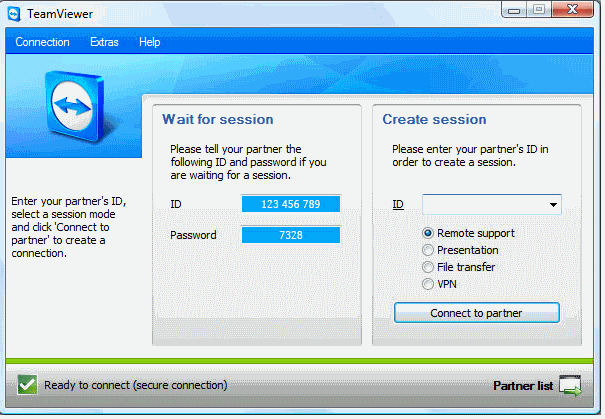
Normally such remote access software are quite pricey (like Goto MyPc), but TeamViewer is completely free for personal and non-commercial use. This free software has lot of capabilities in both remote desktop access, as well as Screen Sharing Mode.
Here are some of the features and uses of this free software:
Remote Control of Desktops and Servers
TeamViewer can be used to remotely manage and control machines. Even firewall is not a problem. The remote computer can also be remotely rebooted, and reconnected. This aspect of TeamViewer comes really handy in case of providing remote support to family and friends.
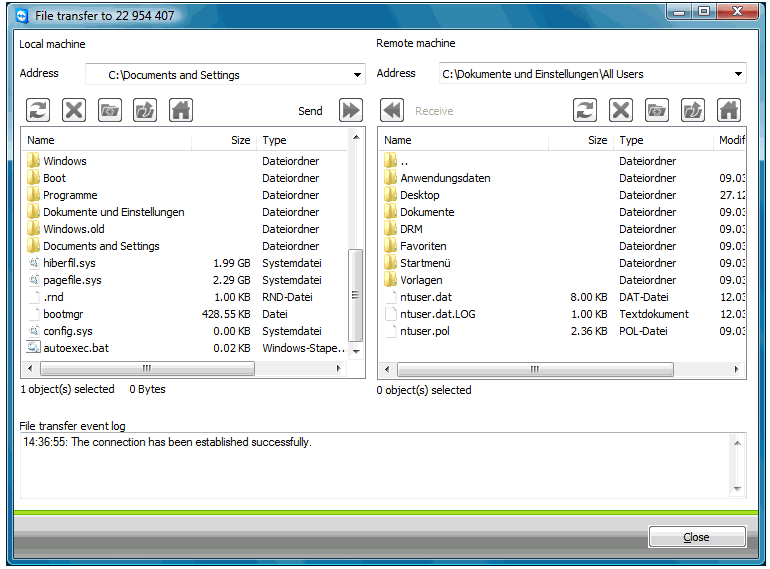
File Transfer:
TeamViewer can be used to transfer files to remote computers through the integrated file transfer tool. This works behind the firewalls as well.
Connect without Installing Anything
One of the interesting features of this free software is that you can connect to a remote computer, without installing anything on either computer. Just run the application from TeamViewer website on both the computers, and you are connected (remote reboot and reconnect require installation of a service).
Connect to Anyone with a single click
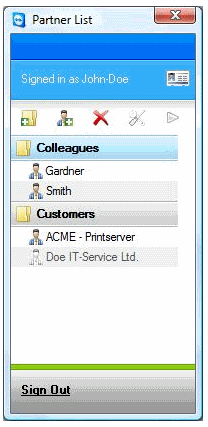
If you work with a team, and all of you use TeamViewer Free, then you can connect to anyone in your team with a single click. TeamViewer shows status of all your team members, and you can connect to anyone who is online. Then you can share your desktop with them, or let them remotely control it.
Remote Desktop Sharing
You can use TeamViewer for sharing your desktop remotely. This can be used to share ideas, presentation, and have meetings.
Works on Windows, as well as Mac

TeamViewes provides multi-platform support. You can use it on Windows as well as Mac, and connect to a Windows PC from a Mac, or vice versa.
TeamViewer is a really cool tool, and totally free for personal and non-commercial use. Love it!
Download Link, and Video Tutorials at the end.