• Home
  • Software Testing Service
  • About US
    • Privacy Policy
    • Disclosure
  • Write For Us
  • Submit Software
  • Contact Us
    • Subscribe
I Love Free Software
Best free software available all over the web. The free software categories include Windows Software, Social Networking Tools, and software installation videos.


  • Featured
  • Windows
  • Web Applications
  • App Store
  • Android
  • iPhone
  • iPad
  • Windows 8
  • Social Networking
  • Programming Tools

PanoramaPlus: Free Software to Create Panorama Images

By Anvin on April 27, 2010 | Sponsored Links

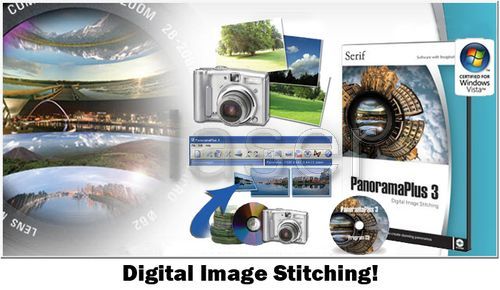
PanoramaPlus is a free panoramic image creating tool. It stitches images together to create spectacular looking panoramic images. All you are required to do is add the photos to this simple application and with a single click you will be able to create breathtaking panoramas.

Another free panoramic image creation software that we recently reviewed: Image Composite Editor.

Sponsored Links

There are so many panorama creating applications available in the software world. If you are in search for the most excellent free panorama software, then you need to try PanaromaPlus.

PanaromaPlus is one of the easiest applications for creating panoramic images. The smart color matching feature of the application perfectly blends the colors of the added images to create magnificent panoramic images. You can preview your images before you create a panorama and save it in a size of 3000 x 3000 pixels.

If you want to touch your images before stitching them, you can use a free image editor, like Paint.net and GIMP.

Here are the cool features of PanoramaPlus:

  • A free panorama creating software free from bugs, spyware, malware and adware.
  • It supports a wide range of image formats.
  • You can either browse or use the drag and drop technique to add images to the application.
  • You are only required to click once to make the application stitch the images.
  • You can stitch images vertically as well as horizontally.
  • You panoramic images that are created can be saved at 3000 x 3000 pixels in size.
  • Before you create a panorama, you can rotate the source images as per your needs.
  • You can checkout full screen previews and even zoom into certain areas of the image before you export it as JPG.
  • Its in-built sample will let you understand how you can stitch images through it by viewing the automated stitching clip.
  • If in case you face any problem while using this application, you can make use of the Help system to understand its features better.
Home Page: Click Here
Works With: Windows
Free / Paid: Free

Link to This Page:


You Might Also Like:

  1. Pos Panorama Pro: Freeware to Create Panoramic Images
  2. 5 Free Software to Create Panoramic Photos
  3. Create Spectacular Panoramic Photos With Panorama Perfect
  4. Create Panoramas with Hugin Free Panorama Stitcher
  5. Free Software To Create Panoramic Photos: Autostitch

Be the first to know about Latest Free Software:

  • Join us on Facebook
  • Subscribe to our RSS Feed
  • Follow us on Twitter
  • Subscribe to Email Updates:

Posted in Image & Photo, Image & Photo Editors | Tagged free image editor, image editor, photo editing | Leave a response

Anvin

« Previous Next »

Featured Posts

  • 5 Free Snippet Managers To Manage Code Snippets
  • 5 Free Online Tools To Test Website In Different Resolutions
  • 5 Free Microsoft Access Alternatives
  • 5 Free IP Notifier Apps
  • 5 Online Mapping Websites
  • 5 Free Alternatives To iGoogle
  • 7 Websites To Download Windows 8 Themes
  • 5 Best Free Calculator Apps For Windows 8

Join More than 15,000 Followers!

Enter your Email Address
  • Submit Software
  • Software Testing Service
  • Write For Us
  • About Us
  • Privacy Policy
  • Disclosure
  • Contact Us

Link to Us:

Did we review your software here? Feel free to flaunt this badge on your website:

Free Software

Use this Code:

Copyright © 2013 I Love Free Software.

Powered by WordPress and Hybrid. New - H