Go Locker is a free Android app that allows to lock Android screen in different styles. This Android Locker app is the most installed app in Android Market to lock Android screen. Go Locker is launched by Go Dev team. For installing Go Locker app, you need to first install Go Launcher Ex app on your Android phone. After installing Go launcher EX only, you will be able to launch Go Locker app. Go Locker app is the best way to lock Android screen with some more layers of security.

Just install Go launcher EX and then launch Go locker. Your Android phone will be then ready with one more layer of security. This Android locker app provides numerous lock themes to lock Android screen. When you install Go locker app, it provides one default locker theme. You can download more lock themes and pattern either from Go Store or from Google Market. You can also enable volume key as your emergency unlock key. In addition, this Android locker app provides lock/unlock sound.
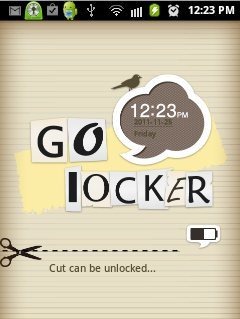
Some Key Features Of Go Locker App To Lock Android Screen:
-
Provides an extra layer of security to your Android.
-
Cool locker screen that makes your phone look attractive.
-
It has an Emergency Unlock system by which you can unlock your phone with one click.
-
It is compatible with Go launcher EX App.
-
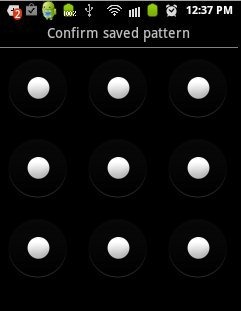
You can also select a security lock pattern.
-
Numerous Lock themes available in Go store and Google market.
-
It also supports wallpapers.
-
Comes with lock/unlock sound.
-
It is easy to use.
Also check out Launcher Pro, Theme App for Android reviewed by us.
How To Install Go Locker App:
-
Just login to “Android Market” or scan the QR Code below.

-
Click on “Search” option. Type “Go Locker” in search tab.
-
Click on “Go Locker” .
-
Click on “Install”.
Note: After installing, it will give you a Pop up to install “Go Launcher Ex” if not installed. Click on “Done”. Go ahead and install “Go launcher Ex” App.
The free Go Locker app to lock Android screen will be automatically installed. Now just make your smart phone more smarter and secure by installing this extra layer of security on your smart phone. This Android Locker really works good.
