Online Favicon Generator at Favicon.cc is a free tool to create favicon online. You can create favicon, or convert existing image to favicon online. Once you have designed favicon online, you can download the favicon and use on your own website.
If you do not know already, a favicon is a small image that is displayed on Left side of the website address in address bar of your browser. It is optional to website owners to use a favicon, but using it helps in branding.
You can use most of the free image editors to generate a favicon, but if you want to quickly put together a favicon, then you can use this free online favicon maker.
How to Create Favicon Online:
- Go to Favicon.cc
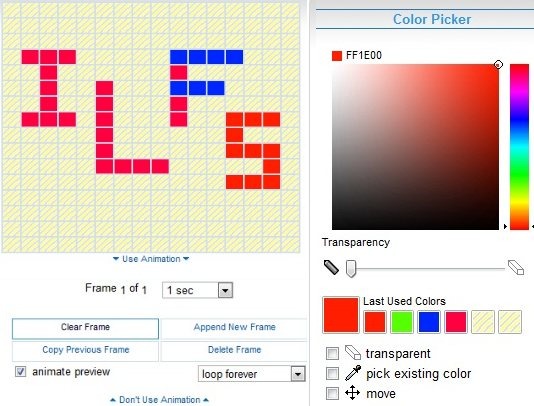
- You will see a drawing pane where you can draw favicon. Just select the color from color box on Right side, and start drawing your icon; one pixel at a time.
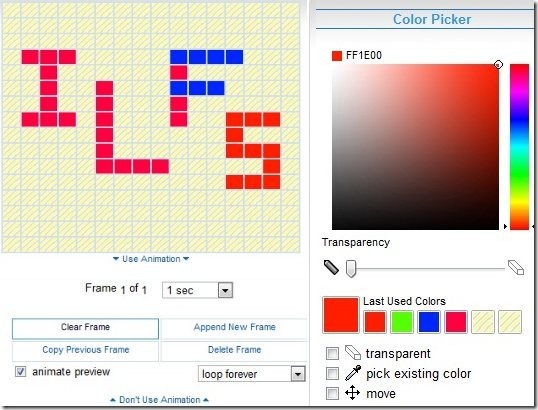
- You can choose multiple colors to go in your favicon. If you make a mistake, choose the option of “transparent”, and just draw over the pixels that are wrong.
- As you keep drawing favicon, this online favicon generator keeps showing a live preview of the favicon, that how will it actually look in a web browser.
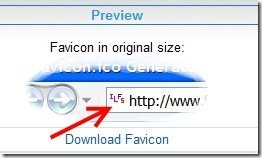
- Once you are satisfied with the favicon, just click on “Download Favicon” button. This will download your favicon with an extension of “.ico”. You can use this on your website.
Simple, isnt’t it :)
Some of the features of Online Favicon Generator:
- Create favicon online, without downloading or installing anything.
- You can also create animated icon using this tool. It allows you to add simple animations to favicon. Also check out animated favicon creator.
- You can also create favicon using existing image file. This favicon converter can convert .jpg, .jpeg, .gif, .ico, .cur, .bmp, and .png files to favicon.
- Completely free.
This online favicon generator is one of the easiest to use online favicon creator. You can use it to quickly throw together favicon for your website.
Check out Favicon.cc, and create favicon online.