Bump is a free Android app to share photos, apps, and contacts with Bump app friends on Android. This Android app is one of the best way out to share content from one Android to other with a simple shake.
To get started with the app, you need to register your full name with your email address. After getting registered with Bump, select the content which you want to share (can be an app, photo, or any contact). Now bring the two device close and gently bump your hands holding the Android devices. The bump app on both of the Android phones will identify each other. Now you are ready to get connected and share the content between two Android phone. The app even allows you to share multiple photos, apps, and contacts all together. Select them and share through a gentle bump.
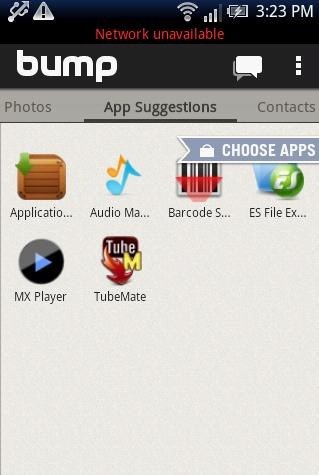
To get connected with Bump, you need your Android phone to be connected with internet, doesn’t matter the internet connection is a 3G, 2G, or Wi-Fi network. Also, it is not mandatory that the phone should be connected on the same internet network. You can connect both of the Android phone on different internet network.
How To Use Bump App And Share Photos, Apps, And Contacts:
- Download and install Bump app on both the Android phones between which you want to share the files.
- Launch the app on both the Android phones and register with full name and email ID on both the phones.
- Now the app will import all the photos, apps, and contacts.
- Select apps, photos, or contacts which you want to share and then bump both the Android phones gently.
- You will get a connection pop-up message to get connected with each other.
- Tap on “connect” button and get connected with the app to share the content.
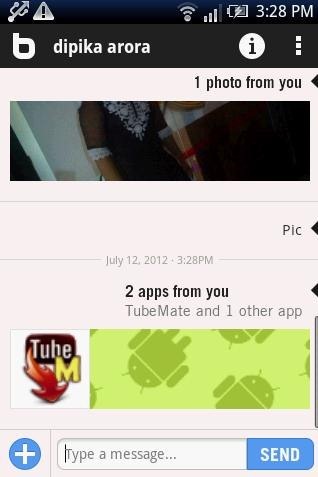
- Type the message below the selected files and then tap on “send” button to share the selected apps, photos, and contacts. You can also check out short tutorial on sharing Android internet connection with PC.
Features Of Android Bump App:
- Share photos, apps, and contacts from one Android phone to another on an internet connection.
- Bumping phone together imports apps, photos, and contacts automatically.
- You can type a message below the selected files before sending them through Bump.

- Tap on settings option to set the preferences of the app.
- Simple and easy to manage app.
- Ads free app.
If you have an iPad, then check out photo sharing apps for iPad.
Install:
Click here to download Bump app from our App Store. You can also head to Google Play Store and then search for “Bump” app in Play Store. From there you can directly install the app on your Android phone.
Bump app is the easiest way to share photos, apps, and contacts from one Android phone to another.
