Textme is a free browser plugin to text for free on any mobile number from browser. Textme supports multiple browsers which includes Google Chrome browser, Opera Mini browser, Internet Explorer, Firefox and Safari browser.
You can install Textme plugin on any of these browser and then send free text SMS on any mobile number from your browser. You can send SMS of 119 characters from your browser to any mobile number in India.
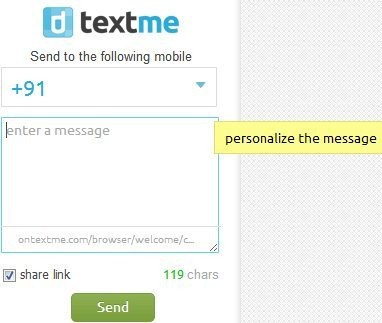
The good part of this browser plugin is that; the message sent, will display the actual mobile number of the sender and not some random number. So if I send a message to someone, then the receiver will see the message coming from my phone number. I know the explanation above sounds a bit tricky. For e.g, if I am sending a message to Arvind via Textme, then Arvind’s mobile will display my number along with the message received.
Key Features Of Textme:
- Send free SMS from your browser.
- Install Textme as plugin on your browser.
- Supports Chrome, Opera Mini, Internet Explorer, Firefox and Safari browsers.

- Send free SMS anywhere in India.
- Supports 119 character to send SMS.
- You can share link of Textme along with the message.
- Access sent items from the plugin.

- You can add the number by the person’s name in the extension or plugin.

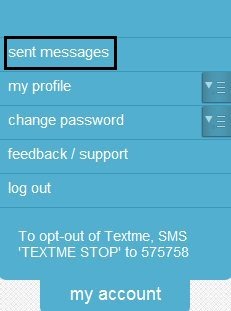
How To Use Textme:
- Install the browser plugin from the webpage of Textme according to the browser you are using.
- Now launch the extension or plugin on your browser.
- Sign-up with your mobile number.
- Type the text and enter the mobile number on which you want to send the message.
- Click on “Send” option to send the message.
Note: If you are sending the message on a number which has activated do not disturb (DND) service, then the browser plugin will be unable to send the message. For sending the message on that number, you need to ask that person to sign-up with Textme using his/her number as the username of Textme. Then only you will be able to send the message to the number on which DND service have been activated.
Install:
- Click here to visit the webpage of Textme.
- Select the plugin according to the browser you are using.
- Install the plugin or extension and you are done with.
This browser plugin is a useful tool to install. Just send free SMS on any mobile number in India and save your expenses on sending SMS between mobile to mobile. You can even check Browser texting web app.
If you know about any other browser extension or plugin, then do let us know in comments below.
